Want to self-host AI agents, connect multiple language-model APIs, and run a controlled browser-security lab? This hands-on guide uses the DigitalBerg Jupiter dedicated server as its example. You will prepare Ubuntu Linux, install OpenClaw and DeepSeek Harness, connect OpenRouter, evaluate FreeLLMAPI, and learn how to keep BeEF in a separate, authorised test environment.
Important: These tools do not form one mandatory stack. OpenClaw and DeepSeek Harness are alternative agent runtimes; OpenRouter is a hosted model API; FreeLLMAPI is an experimental local API aggregator; BeEF is a penetration-testing framework. Deploy them independently and enable integrations only after testing. This is a configuration walkthrough, not a claim that DigitalBerg has benchmarked or certified these applications.
Why use a DigitalBerg Jupiter dedicated server?
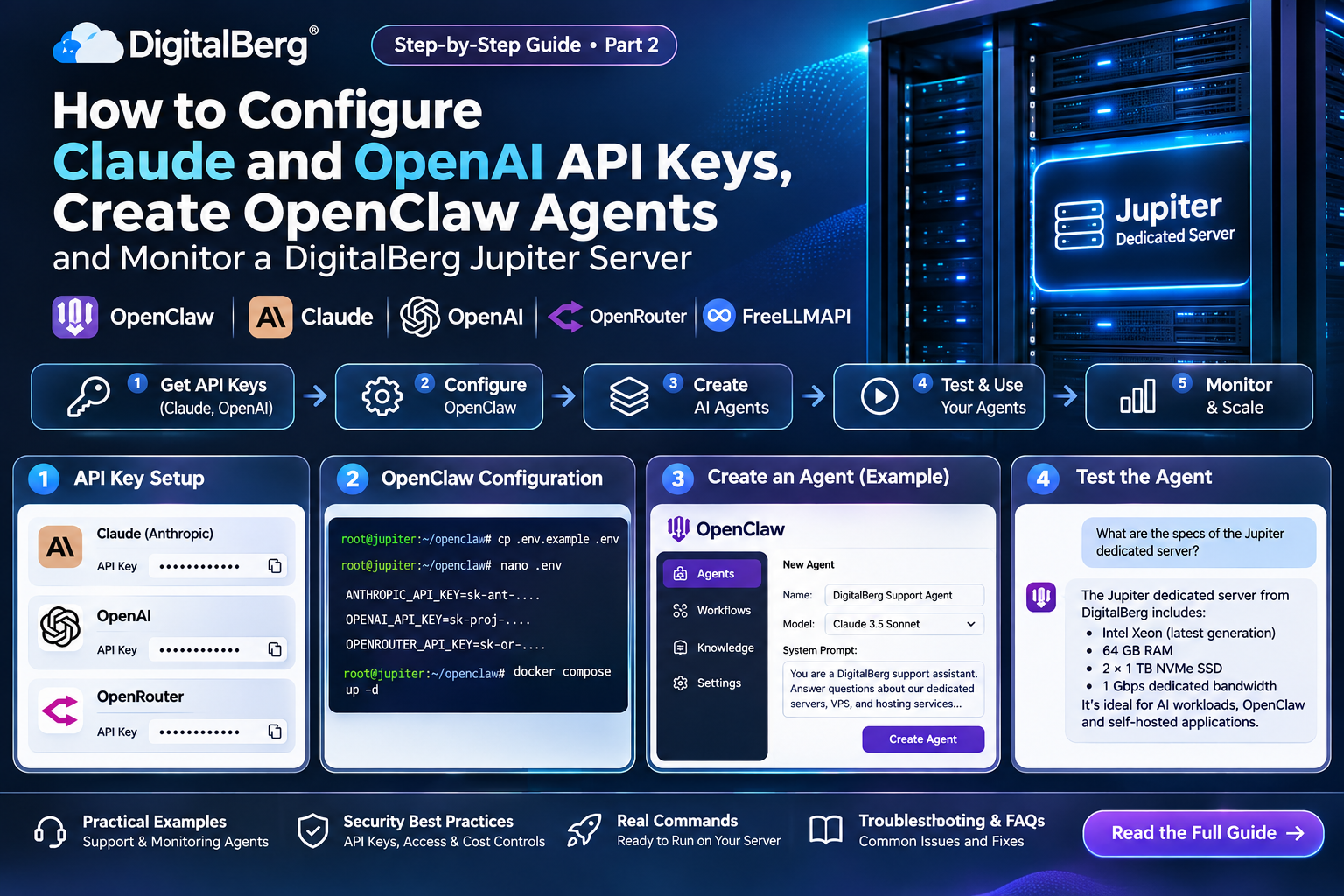
The current DigitalBerg dedicated-server listing describes the Jupiter plan as dual Intel Xeon E5-2620 v3 CPUs (12 physical cores in total), 64 GB RAM, either two 2 TB HDDs or two 256 GB SSDs with software RAID 1, and a 1 Gbit/s port with unmetered bandwidth. The listing displays a £209 price; check the live order page for availability, taxes, storage choice and current pricing before purchasing.
For agent gateways and API proxies, dedicated CPU, memory and persistent storage provide isolation from unrelated tenants. However, this CPU-only specification does not imply GPU acceleration or efficient local inference of large language models. The configuration below uses hosted model APIs. Choose SSDs where available, and budget for model API usage separately from server hosting.
Links: Jupiter dedicated-server plans · Infrastructure dedicated servers · Private server networking with vRack/VLAN · Support and SLA.
Architecture: what runs where?
| Component |
Role |
Exposure |
| Ubuntu Server |
Dedicated-server host and firewall |
SSH restricted to administrators |
| OpenClaw |
Always-on AI agent and gateway |
Local/private access only |
| DeepSeek Harness (DSH) |
Plugin-oriented AI agent runtime |
Local/private access only |
| OpenRouter |
Hosted inference API |
Outbound HTTPS; no local installation |
| FreeLLMAPI |
Experimental API gateway and provider fallback |
Loopback or VPN only |
| BeEF |
Authorised browser-security testing |
Separate isolated lab; never publicly exposed |
1. Prepare and secure Ubuntu on Jupiter
Use a supported Ubuntu LTS release supplied by your server provisioning process. Connect through SSH as an administrative account. Substitute your own username and server address; never paste passwords or tokens into public commands or screenshots.
ssh admin@YOUR_SERVER_IP
sudo apt update && sudo apt upgrade -y
sudo apt install -y git curl ca-certificates gnupg openssl ufw
sudo timedatectl set-timezone UTC
uname -a
free -h
df -h
Configure SSH public-key authentication and verify a second working session before disabling password login. Permit SSH only from trusted administrator IP addresses when possible. The example below uses UFW and must be adapted if your provider already manages a firewall:
sudo ufw allow from YOUR_ADMIN_PUBLIC_IP to any port 22 proto tcp
sudo ufw default deny incoming
sudo ufw default allow outgoing
sudo ufw enable
sudo ufw status verbose
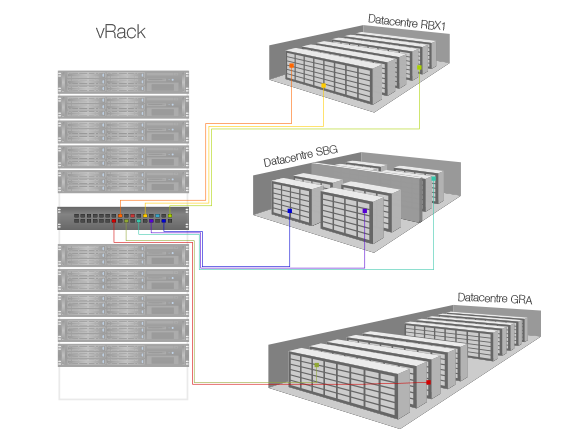
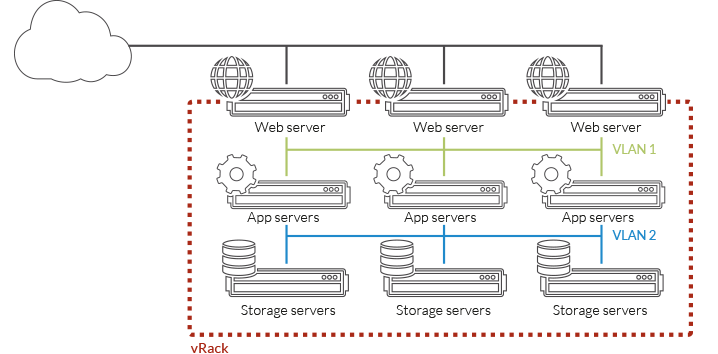
Keep agent dashboards and API proxies off the public internet. Use SSH port forwarding or a private VPN. A private VLAN may help isolate multiple servers, but it does not replace host firewalls or authentication. Create separate unprivileged Linux users for different services and avoid running agent processes as root.
2. Install OpenClaw on Ubuntu
OpenClaw’s official GitHub repository provides an open-source agent gateway. Its getting-started documentation specifies supported recent Node.js releases (Node 26 recommended at the time of writing). Run installation as a dedicated non-root account and review the official installer before execution.
node --version
# On a dedicated non-root account, after reviewing the official installer:
curl -fsSL https://openclaw.ai/install.sh -o openclaw-install.sh
less openclaw-install.sh
bash openclaw-install.sh
Follow onboarding to configure an approved model provider and verify a real completion. The installer may start onboarding automatically. For persistent service operation, consult the latest documentation:
openclaw gateway install
openclaw gateway status
openclaw doctor
The default gateway uses port 18789 according to the project’s documentation. Do not open that port publicly. If the service is listening only on loopback, use a tunnel from your workstation:
ssh -L 18789:127.0.0.1:18789 admin@YOUR_SERVER_IP
Then use the locally forwarded interface according to the current OpenClaw dashboard instructions. Apply pairing controls, least-privilege tool permissions and approval gates before connecting email, chat or shell-execution tools. Read OpenClaw documentation for security and upgrade procedures.
3. Configure OpenRouter as an AI model provider
OpenRouter is a hosted API router, not software you install on Jupiter. Create an account, select a supported model, generate an API key, and follow the official API documentation. The service can provide a model endpoint for an agent runtime or a separately configured client.
Test connectivity from the server with a model identifier that is currently available to your account. Do not hardcode real credentials into shell history or a public repository.
read -rsp "OpenRouter API key: " OPENROUTER_API_KEY; echo
export OPENROUTER_API_KEY
curl https://openrouter.ai/api/v1/chat/completions \
  -H "Authorization: Bearer $OPENROUTER_API_KEY" \
  -H "Content-Type: application/json" \
  -d '{"model":"REPLACE_WITH_AVAILABLE_MODEL_ID","messages":[{"role":"user","content":"Reply with: API connection working"}]}'
Verify the selected model’s pricing, rate limits, privacy settings, context window and tool-calling support. For OpenClaw or DSH, follow the runtime’s current provider-configuration documentation rather than assuming that any OpenAI-compatible URL works identically in every plugin.
4. Install DeepSeek Harness (DSH)
DeepSeek Harness is an agent harness whose architecture treats functionality as plugins. It is a separate alternative to OpenClaw, and its upstream project describes itself as a developer preview. Review the release notes before deployment because commands and plugin APIs may change.
After installing a supported Node.js version for the project’s current release, use the documented npm launcher:
npx @deepseek-ai/dsh web
The documented default web UI is http://127.0.0.1:3080. Keep it bound to loopback and reach it through a separate SSH tunnel:
ssh -L 3080:127.0.0.1:3080 admin@YOUR_SERVER_IP
For developers who need the source checkout, follow upstream build instructions:
git clone https://github.com/deepseek-ai/deepseek-harness.git
cd deepseek-harness
corepack enable
pnpm install
pnpm run build
pnpm dsh web
Run DSH in a different user account or container from OpenClaw. Do not give either agent unrestricted access to the host’s secrets, Docker socket or production data. Consult the project’s plugin documentation before adding extensions.
5. Deploy FreeLLMAPI as an experimental API gateway
FreeLLMAPI (sometimes searched as “llmfreeApi”) combines multiple provider accounts behind an OpenAI-compatible API. It offers key management and failover, but the project’s own README explicitly describes it as for personal experimentation, not production. Free-tier quotas and model availability change. Do not promise unlimited free inference or guaranteed throughput.
The upstream Docker Compose guide provides this source-based deployment pattern. Install Docker and the Compose plugin from trusted packages, inspect the repository and Compose configuration, and ensure the API is bound to loopback before starting it:
git clone https://github.com/tashfeenahmed/freellmapi.git
cd freellmapi
openssl rand -hex 32
# Store the generated value securely as ENCRYPTION_KEY in .env
# Inspect docker-compose.yml and confirm localhost-only port binding.
docker compose config
docker compose up -d
docker compose ps
Do not start with an internet-exposed port 3001. Confirm the effective Compose configuration publishes the service to 127.0.0.1:3001, not 0.0.0.0:3001. Follow the upstream instructions for encryption-key persistence and durable SQLite storage. Open the dashboard through:
ssh -L 3001:127.0.0.1:3001 admin@YOUR_SERVER_IP
Visit http://127.0.0.1:3001 locally, create the dashboard account if prompted, add your legitimate provider API keys, and generate the gateway’s unified API token. FreeLLMAPI documents an OpenClaw integration helper:
npx freellmapi setup-openclaw --url http://localhost:3001 --api-key YOUR_UNIFIED_KEY --dry-run
Review the proposed configuration before applying it. The localhost address must resolve from the same machine or network namespace as the OpenClaw process. See the official supported-agent recipes. Use a paid, contract-backed inference provider for customer-facing production systems.
6. BeEF: separate, authorised browser-security lab
BeEF (Browser Exploitation Framework) is a security-testing framework for assessing browser-side vulnerabilities. It is not an LLM provider or agent framework. Use it only on browsers, applications and networks that you own or are expressly authorised to test. The official project describes Ruby 3.0+, SQLite and Node.js among its requirements.
For an approved internal lab, create a separate VM or isolated network segment with no route to production services, and consult the upstream installation guide and configuration guide. Keep its management console accessible only through a trusted lab network or VPN, with credentials changed from defaults. Avoid exposing browser hooks or testing endpoints on public production domains. This guide intentionally does not configure browser exploitation or public-facing attack infrastructure.
7. GitHub popularity, maintenance and security: how to evaluate repositories
GitHub stars reflect attention, not verified security, production suitability or a formal quality rating. Fork counts indicate reuse or interest, while release history, open issues, security advisories, signed releases, licenses, dependencies and documentation are more useful operational signals. Counts are dynamic; review the live repository before publishing a dated number.
Before upgrading, record the deployed version, review release notes, back up configuration and database state, and test in staging. Pin dependency versions for repeatable builds when supported.
8. Security, monitoring and backup checklist
- Restrict SSH to administrator IPs and use key-based login.
- Keep ports 18789, 3080 and 3001 private; verify with
ss -lntp and firewall rules.
- Separate OpenClaw, DSH, FreeLLMAPI and the BeEF lab by accounts, containers or VMs.
- Never commit
.env, provider keys, gateway tokens or database backups to GitHub.
- Use dedicated low-privilege API keys with usage caps and rotation procedures.
- Back up agent configuration, FreeLLMAPI’s persistent database and encryption key securely; periodically test restoration.
- Monitor disk space, memory, failed logins, model API bills, rate limits and service logs.
- Review third-party agent skills/plugins before granting file, shell, browser or network access.
9. Troubleshooting
OpenClaw command not found
Check node --version, the installer’s output and the npm global binary directory in your PATH. Use openclaw doctor or openclaw triage once installed.
Dashboard does not open
Verify the process is running, the local port is listening and your SSH tunnel remains connected. Check ss -lntp. Do not fix a tunnel problem by opening the dashboard publicly.
OpenRouter returns 401, 404 or 429
401 commonly indicates authentication failure; 404 may indicate an unavailable model identifier or endpoint; 429 indicates rate limiting. Check your account, selected model and official API error response.
FreeLLMAPI cannot reach providers
Inspect provider-key health, outbound HTTPS/DNS, model availability and quota usage. Verify that the API token is the unified FreeLLMAPI token rather than an upstream provider token.
Agent cannot call FreeLLMAPI
Check the client base URL, Docker network namespace, port binding and selected API compatibility. Test the gateway’s documented models endpoint before enabling an agent integration.
Frequently asked questions
Can Jupiter run OpenClaw without a GPU?
Yes, for an API-backed agent gateway. Large-model local inference is a different workload and would need separate hardware and benchmark planning.
Is OpenRouter free to install?
OpenRouter is a hosted API, so there is no Jupiter-side installation. Model pricing and any free allowances depend on the current provider terms.
Can OpenClaw and DeepSeek Harness run on one server?
They can be evaluated separately on the same machine when isolated and correctly configured. Both require their own access controls, runtime resources and update procedures.
Does FreeLLMAPI provide unlimited free tokens?
No. It aggregates available provider allowances, and upstream limits, policies and availability still apply. Its authors caution against production use.
Should BeEF run alongside the AI gateway?
Not on the same exposed application stack. Put BeEF in a separate, access-controlled, authorised testing lab.
Does a high GitHub star count guarantee security?
No. Review security advisories, dependencies, maintainer activity and independent testing in addition to popularity.
Next steps: build your private AI lab on DigitalBerg
Start with a DigitalBerg Jupiter dedicated server, provision a supported Linux image, secure remote administration, and install only the components you need. For a simple first deployment, begin with OpenClaw plus OpenRouter; add FreeLLMAPI only for controlled experiments, evaluate DeepSeek Harness independently, and keep BeEF in an isolated security lab. Compare dedicated-server infrastructure options and review support terms before ordering.
Editorial verification note: software versions, repository popularity, API quotas and server prices change. Confirm live vendor documentation and test commands on a non-production system before deploying.