
VPS Capacity Planning: When to Upgrade to Cloud or Dedicated Hosting
Your website was fast when you launched it. Now your business is growing, traffic is increasing, and some pages take longer to load.
Perhaps your online store becomes slow during promotions. Your application may struggle when several users connect at once. Or you might be planning to host a new service, such as a private workspace for your team.
The first reaction is often to upgrade to a bigger server.
But more resources do not always solve the problem.
VPS capacity planning helps you understand what your website or application actually needs before spending more on hosting. It involves checking processor usage, memory, storage, network traffic and expected growth.
This guide explains when to improve your existing VPS, when to consider Cloud VPS OpenStack, and when an unmetered dedicated server may make more sense.
You will also learn how to plan infrastructure for self-hosted applications such as Buzz, without buying more server capacity than you need.
What Is VPS Capacity Planning?
VPS capacity planning means estimating and monitoring the computing resources needed to run your website or application reliably.
A virtual private server provides an isolated operating environment with allocated CPU, RAM, storage and networking resources.
However, every server has limits.
An application may perform well with a few visitors but slow down when traffic increases. A database may need more memory as records grow. A file-heavy service may need additional storage long before it needs another CPU core.
Capacity planning helps you answer three questions:
- What resources does the application use today?
- What is likely to change over the next few months?
- Which hosting upgrade would address the actual limitation?
The goal is not to buy the largest server available. It is to select infrastructure that supports the workload with enough room for normal fluctuations.
Five Server Resources You Should Monitor
Before upgrading your hosting, collect information about your current server.
A short period of monitoring is better than guessing from the number of website visitors.
1. CPU usage
The processor handles application requests, database operations and background tasks.
If CPU usage remains high during busy periods, users may experience slower responses.
However, a brief spike is not automatically a problem.
Look at how long the load lasts and whether it affects application performance.
A poorly optimised database query can overload a powerful server. Fixing the query may be more effective than purchasing additional CPU cores.
2. RAM usage
Memory allows applications and databases to work without constantly retrieving information from slower storage.
When a server runs short of available RAM, it may begin using swap space or terminate processes.
Common warning signs include slow database responses, application crashes and increasing swap activity.
Check which services consume the most memory before upgrading.
3. Storage performance
Storage capacity and storage speed are different.
A server may have plenty of free space but still suffer from slow disk operations.
Websites with busy databases can be sensitive to storage latency.
For these workloads, SSD or NVMe storage may be useful, provided the rest of the system is configured appropriately.
Monitor both free capacity and actual disk performance.
4. Network traffic
Bandwidth is especially important for applications that move large amounts of data.
Examples include download portals, media services, backups and applications with frequent file transfers.
Monitor peak network use as well as monthly transfer.
A service might transfer a moderate amount of data overall but still experience congestion during a short busy period.
5. Application response time
Server resource numbers are useful, but the user experience matters most.
Monitor how long important pages or application requests take to respond.
For example, a server might show moderate CPU usage while users still experience slow database queries.
Monitoring both infrastructure and application performance helps identify the real problem.
Building a Fast and Scalable VPS Environment
A fast and scalable VPS should handle current workloads while allowing sensible expansion when requirements change.
However, server performance depends on more than the specifications advertised in a hosting plan.
Start with suitable resources
Choose CPU, RAM and storage according to your application.
A basic WordPress website may need fewer resources than an online shop with complex plugins and frequent database queries.
Similarly, a development environment has different requirements from a production application serving hundreds of simultaneous users.
Review your current consumption before selecting a plan.
Improve software performance
Before increasing server resources, check whether your website is using them efficiently.
Useful improvements may include:
- Enabling appropriate page or application caching.
- Optimising database queries.
- Removing unnecessary WordPress plugins.
- Updating supported software.
- Compressing images and other assets.
- Reviewing background tasks.
- Identifying slow external API requests.
These changes can improve performance without immediately increasing hosting costs.
Leave room for traffic changes
A server operating near its limits during normal traffic may struggle during unexpected demand.
Leave reasonable spare capacity for busy periods, updates and background work.
The amount of spare capacity should be based on the application’s behaviour and recovery requirements, rather than a universal percentage.
Choose the right hosting environment
DigitalBerg offers VPS hosting for websites, business applications and development workloads.
When comparing plans, consider available resources, storage options, network terms, operating system support and management responsibilities.
A larger VPS can be useful, but the upgrade should address a measured limitation.
When Should You Consider Cloud VPS OpenStack?
Traditional VPS hosting can be suitable for many applications.
However, businesses may want cloud infrastructure that supports centralised management of virtual machines, storage and networking.
This is where Cloud VPS OpenStack becomes relevant.
OpenStack is an open-source platform used to manage cloud infrastructure.
It coordinates computing, networking, storage and other services across cloud environments.
A provider can use OpenStack to provision and manage virtual servers. The virtual machines may use KVM underneath.
Why businesses consider OpenStack
OpenStack-based infrastructure can support projects that need:
Flexible resource management
Businesses can choose configurations based on the resources supported by the provider.
Cloud infrastructure controls
Depending on the available service, users may have access to dashboards or APIs for managing cloud resources.
Development environments
Teams can run separate instances for testing, staging and production.
Application expansion
Cloud infrastructure can support designs involving multiple application servers or other services.
However, using OpenStack does not automatically make an application highly available or infinitely scalable.
High availability depends on the infrastructure architecture, storage, networking and recovery configuration.
Is OpenStack VPS suitable for WordPress?
Yes. A properly configured OpenStack VPS can host WordPress.
The most important considerations remain memory, CPU performance, storage, database configuration and security.
A growing WooCommerce store, for example, may benefit from caching and database improvements before needing additional virtual machines.
For available configurations, explore DigitalBerg’s SSD OpenStack VPS hosting.
If you want to understand the technology in more detail, read OpenStack VPS vs KVM VPS.
When Does an Unmetered Dedicated Server Make Sense?
Not every business needs a physical dedicated server.
A VPS may remain suitable for years if it provides enough performance and control.
However, some applications eventually require more consistent access to hardware resources, different storage configurations or substantial network capacity.
An unmetered dedicated server can become worth considering in these situations.
What is unmetered dedicated server hosting?
Unmetered dedicated server hosting generally provides a physical server with a transfer arrangement that does not charge eligible usage according to the amount of data transferred.
The server still has a finite network connection speed.
It may also be subject to acceptable-use conditions and other contractual restrictions.
For example, a server with an unmetered 1 Gbit/s connection does not have unlimited transfer speed. Its capacity is still limited by the agreed connection and real network conditions.
Workloads that may benefit
A dedicated server may be suitable for:
- Busy applications with substantial CPU or memory requirements.
- Business platforms needing a particular hardware configuration.
- Large databases or storage-intensive applications.
- Authorised software distribution platforms.
- Services with significant sustained network traffic.
- Multiple production applications requiring stronger infrastructure separation.
The correct choice depends on actual resource consumption and operational needs.
Is an unmetered dedicated server UK plan necessary?
For a UK-focused business, the physical server location may matter.
A nearby data centre can reduce part of the network journey between the server and its users.
However, a UK location does not guarantee low latency or faster application responses in every situation.
If you need a UK-hosted configuration, confirm the location of the actual machine before ordering.
DigitalBerg has a detailed guide covering unmetered dedicated server UK hosting, including network port speeds, transfer conditions and costs.
You can also explore its dedicated server hosting options.
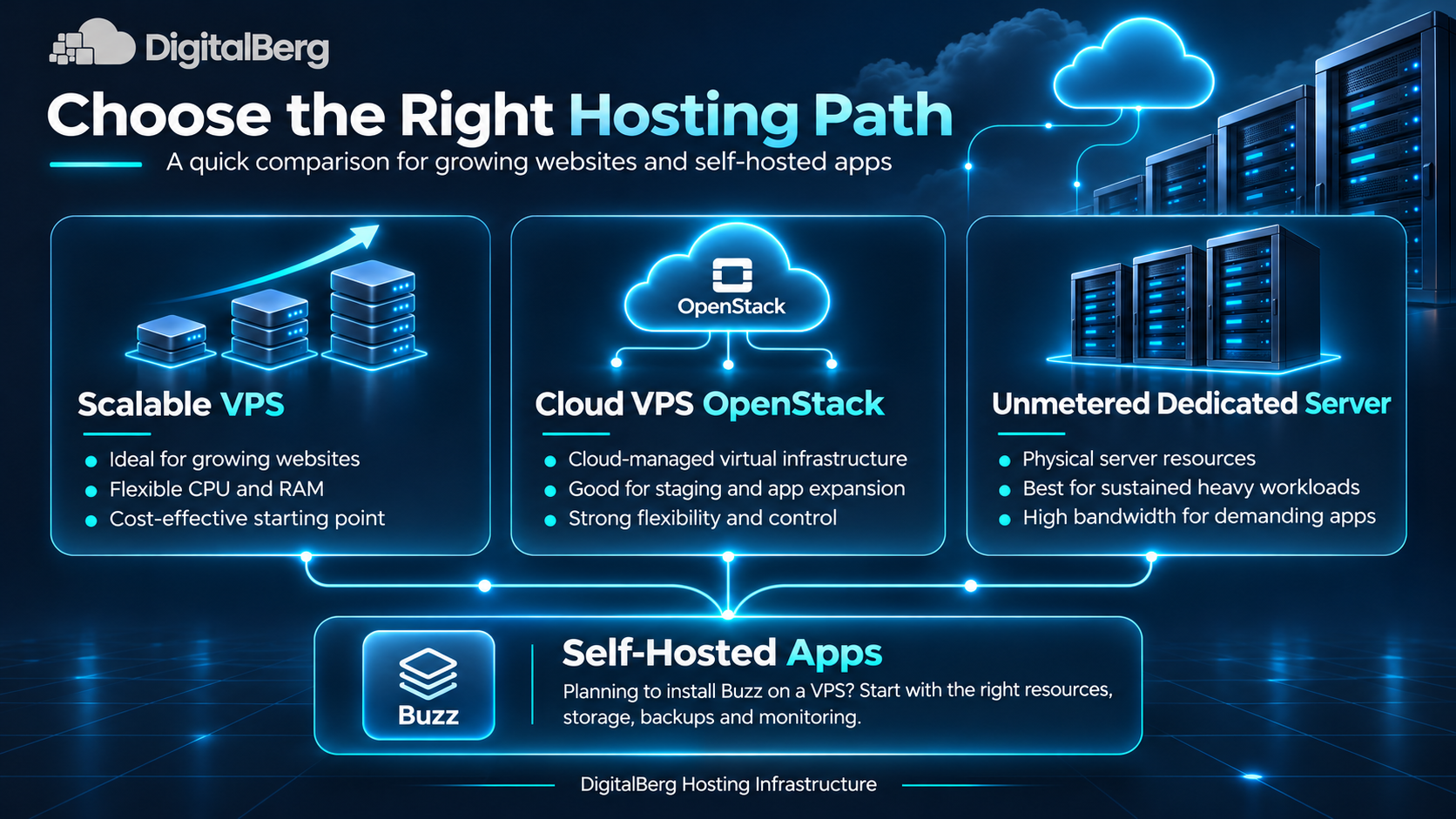
Cloud VPS vs Unmetered Dedicated Server: Which Should You Choose?
Both hosting options have advantages.
The decision should depend on how your workload behaves and how much control you need.
| Consideration | Cloud VPS | Unmetered dedicated server |
|---|---|---|
| Resources | Virtual machine resources | Physical server resources |
| Expansion | Depends on available cloud options | May require hardware upgrades or additional machines |
| Initial infrastructure | Often suitable for smaller workloads | Useful when a full physical server is justified |
| Network transfer | Plan-specific limits and terms | Unmetered terms where offered |
| Management | Depends on the plan | Depends on the plan |
| Best fit | Flexible applications and development | Sustained workloads requiring physical resources |
A VPS is often a sensible starting point for an application that is still growing.
A dedicated server becomes more relevant when monitoring shows that the application needs a particular hardware configuration or sustained resources that a suitable VPS cannot provide economically.
Neither option automatically guarantees better performance, security or uptime.
Planning VPS Resources for Self-Hosted Applications
Websites are not the only applications that run on a VPS.
Businesses increasingly use virtual servers for collaboration tools, internal dashboards, development environments and automation systems.
These applications may have different resource requirements from a normal website.
For example, a team workspace might store messages, files and database records while handling several users at the same time.
The hosting plan should account for each service involved.
Consider the complete application stack
Before deploying a new application, identify:
- The operating system.
- The main application service.
- Database requirements.
- Caching or message services.
- File storage needs.
- Reverse proxy and HTTPS configuration.
- Backup and monitoring requirements.
An application with several containers may need more memory than its main service alone suggests.
Avoid relying on minimum specifications
Minimum requirements can help with initial testing.
However, production use may involve more users, larger files and background processes.
Start with a configuration suitable for a small pilot, measure performance, and increase resources when real usage justifies it.
How to Plan Resources Before You Install Buzz on a VPS
Buzz by Block is an open-source workspace that allows people and AI agents to collaborate.
It uses a relay-based architecture, with supporting components for storing data and managing application services.
Self-hosting Buzz can give a team control over its hosting environment, but it also creates responsibilities for security, updates and backups.
What does Buzz need from a VPS?
For a small pilot, consider a Linux VPS with:
- Administrative access.
- Docker and Docker Compose support.
- Enough CPU and RAM for the application stack.
- Persistent storage for application data.
- A domain or subdomain.
- HTTPS configuration.
- Off-server backups.
Resource needs depend on the number of users, uploaded files and connected agents.
A practical starting point for evaluating a small deployment might be 2–4 vCPUs and 4–8 GB RAM.
These are planning estimates, not official minimum requirements or performance guarantees.
What happens during installation?
A typical self-hosting process involves preparing the VPS, configuring the application’s environment, deploying its services and connecting users securely.
Before inviting a larger team, test application access, persistent data storage, backups and recovery.
Buzz is still evolving, so the latest official deployment files should be reviewed before installation.
For the full setup instructions, read DigitalBerg’s existing guide:
How to Install Buzz on a VPS with Docker.
That article explains the actual deployment process, while this guide focuses on choosing the server resources required to operate the application.
Should Buzz run on a VPS or dedicated server?
For a small team testing the application, a properly sized VPS may be sufficient.
A dedicated server may become worth considering if the workload grows substantially or requires a specific hardware arrangement.
The number of users alone is not enough to make the decision.
Monitor database performance, memory usage, storage growth, network traffic and application response times.
Scale only when those measurements show that the existing environment needs improvement.
How to Know When Your VPS Needs an Upgrade
There is no universal visitor count that tells you when to upgrade.
Instead, look for recurring performance problems.
Your application slows down during predictable busy periods
Check whether CPU, memory or database activity increases when the slowdown occurs.
If the bottleneck remains after reasonable optimisation, additional resources may help.
Your server frequently runs short of memory
Repeated memory pressure or unexpected process termination can indicate that the server does not have enough RAM for its workload.
Investigate the cause before choosing a larger plan.
Storage performance affects important operations
Slow database writes, high I/O wait or storage latency can create delays.
A faster storage configuration may help, depending on the application.
You are approaching network limits
If your application consistently uses most of its available network capacity, review the plan’s throughput and transfer terms.
This may be particularly important for file distribution or media-heavy services.
You need more control over hardware
Some applications require specialist processors, extensive memory or particular storage arrangements.
In these cases, a dedicated server may be more suitable than simply increasing VPS resources.
A Practical Five-Step Server Upgrade Plan
When monitoring shows that your infrastructure needs improvement, prepare the change carefully.
Step 1: Record current performance
Review CPU, RAM, disk and network usage.
Include application response times and error rates.
Use this information as a baseline for comparing the new environment.
Step 2: Identify the main limitation
Determine whether the problem comes from hardware resources, application configuration or external services.
Do not purchase a server upgrade until you understand what it is intended to fix.
Step 3: Select the appropriate hosting option
Compare available VPS, OpenStack and dedicated server configurations.
Look at total costs, support arrangements, data centre location and network conditions.
Step 4: Prepare backups and a migration plan
Back up application files, databases and important configuration.
Test the new environment before changing production traffic.
Plan how to synchronise changing data during migration.
Step 5: Monitor after the upgrade
A successful migration does not end with the website loading correctly.
Check important user journeys, database operations, logs, background jobs and application response times.
Compare performance against the baseline you recorded earlier.
This confirms whether the upgrade actually solved the original problem.
Security and Management Responsibilities
A larger server is not automatically more secure.
Whether you choose VPS hosting or a dedicated server, somebody must manage the operating system and applications.
Important responsibilities include software updates, firewall configuration, access permissions, backups and security monitoring.
For self-hosted applications, protect administrative accounts and credentials.
Avoid exposing databases or internal services directly to the public internet unless there is a documented need and suitable security control.
Also confirm which tasks your hosting provider manages.
DigitalBerg’s standard VPS products are described as unmanaged, with hardware and network support. Application administration should therefore be planned separately unless additional support has been agreed.
Choosing Hosting Infrastructure With DigitalBerg
DigitalBerg offers virtual private servers, OpenStack-based hosting options and dedicated servers for different computing requirements.
Rather than choosing a plan based on its headline specifications, start with the workload.
A growing WordPress website may benefit from better caching and more VPS memory.
A development team might prefer an OpenStack environment that supports its virtual infrastructure requirements.
A high-resource business application may justify dedicated hardware.
For workloads with heavy data transfer, review the available unmetered dedicated server hosting terms before ordering.
If you are unsure which option fits your project, share your current specifications, expected users and application requirements with the DigitalBerg team.
That information makes it easier to assess the suitable configuration.
Frequently Asked Questions
What is VPS capacity planning?
VPS capacity planning is the process of measuring and estimating server resource needs. It helps businesses decide whether to optimise, upgrade or migrate their hosting environment.
Can a VPS handle a high traffic website?
Yes, a suitably configured VPS can handle substantial traffic. Actual performance depends on the application, resource allocation, caching and network conditions.
What makes a VPS fast and scalable?
Suitable CPU, RAM, storage performance, networking and efficient software configuration all contribute. Scalability also depends on the provider’s supported upgrade options.
Is Cloud VPS OpenStack better than traditional VPS hosting?
Not automatically. OpenStack provides cloud infrastructure management capabilities, but application performance depends on the specific implementation and allocated resources.
When should I move from VPS to a dedicated server?
Consider dedicated hosting when your workload requires sustained resources, particular hardware or infrastructure control that a suitable VPS cannot provide efficiently.
What is the difference between metered and unmetered dedicated server hosting?
Metered plans generally include a defined transfer allowance. Unmetered plans typically do not charge eligible transfer by volume, but connection speeds and contractual limits still apply.
Can I install Buzz on a VPS?
Yes. Buzz can be self-hosted using a suitable VPS and its supported deployment components. The server must be configured and maintained correctly.
Is a dedicated server necessary for AI applications?
Not always. Some AI tools only need a modest application server, while larger model inference workloads may require specialised hardware or GPU resources.
Does upgrading server RAM improve website speed?
It can help when insufficient memory is the actual problem. If slow database queries or external services are responsible, additional RAM alone may not fix the issue.
Final Thoughts
Choosing the right server is not about buying the biggest available package.
It is about understanding your website or application’s current requirements and preparing for realistic growth.
Good VPS capacity planning helps you avoid unnecessary hosting costs, identify performance problems and make better infrastructure decisions.
A fast and scalable VPS may be all your business needs today. Cloud VPS OpenStack may suit projects requiring additional cloud management capabilities. Unmetered dedicated server hosting may become more relevant as resource or network requirements grow.
Start with measurements, make improvements where possible and choose the next hosting step based on evidence.
Ready to review your hosting requirements?
Explore DigitalBerg VPS Hosting and Dedicated Server Hosting, or contact the DigitalBerg team to discuss a suitable server configuration for your website, application or business.




Leave a Reply
Want to join the discussion?Feel free to contribute!