Cloud Hosting Providers: How to Choose the Right Solution for Your Business

Choosing the right hosting environment is an important decision for any business with an online presence. As websites, applications and business systems grow, traditional hosting may not always provide the performance, flexibility and resources a business needs.

This is where cloud hosting can become a practical option.

With cloud-based infrastructure, businesses can run websites, applications and online services on scalable server environments designed to provide performance, flexibility and reliability.

However, choosing between different cloud hosting providers can be difficult. Providers offer different infrastructure, storage options, support levels, security features and scalability.

This guide explains what cloud hosting is, what to look for in a provider and how businesses can choose a suitable cloud hosting solution.

What Is Cloud Hosting?

Cloud hosting is a type of hosting where websites, applications or services run on cloud-based infrastructure rather than relying entirely on a single physical server.

Cloud environments can provide access to computing resources such as:

  • CPU
  • RAM
  • SSD storage
  • Network resources
  • Virtual servers
  • Backup and recovery options
  • Security controls

One of the main advantages of cloud infrastructure is flexibility. Resources can be adjusted according to the requirements of the application or business.

For growing websites and applications, this can make cloud hosting an attractive alternative to traditional hosting environments.

Why Are Businesses Moving to Cloud Hosting?

Businesses increasingly rely on websites, e-commerce platforms, applications, databases and online systems.

As traffic and workloads increase, businesses need infrastructure that can handle changing requirements.

Cloud hosting services can provide several advantages, including:

Scalability

Cloud infrastructure can allow resources to be increased as workloads grow.

Performance

Modern SSD and NVMe-based infrastructure can provide fast storage performance for websites and applications.

Flexibility

Businesses can choose server configurations based on their technical requirements rather than being limited to a fixed environment.

Reliability

Cloud infrastructure can be designed with redundancy and distributed resources to reduce dependence on a single physical machine.

Remote Management

Cloud servers can be managed remotely, making them suitable for businesses, developers and IT teams working from different locations.

What Should You Look for in Cloud Hosting Providers?

Not all cloud hosting providers offer the same infrastructure or level of service.

Before choosing a provider, consider the following factors.

1. Server Performance

Performance is one of the most important considerations when choosing hosting.

Slow infrastructure can affect websites, applications and customer experiences.

Look for providers offering modern processors, SSD or NVMe storage and suitable network infrastructure.

DigitalBerg offers cloud and VPS infrastructure using SSD-based storage and high-performance server technology designed for websites, applications and business workloads.

2. Scalability

A business may start with modest hosting requirements and grow significantly over time.

Your hosting environment should be able to support that growth.

Scalable cloud hosting services allow businesses to increase resources when their applications or websites require additional computing capacity.

This can be particularly useful for:

  • Growing e-commerce websites
  • SaaS applications
  • Business platforms
  • Web agencies
  • Development environments
  • High-traffic websites

3. Security

Security should be a major consideration when choosing secure business cloud hosting in the UK.

A hosting provider should have appropriate measures to protect infrastructure and customer environments.

Depending on the service, these may include:

  • Firewalls
  • Network security
  • DDoS protection
  • Secure data centres
  • Backups
  • Access controls
  • Monitoring

DigitalBerg’s data-centre infrastructure uses multiple security layers, including firewalls, regular backups and offsite storage, while its cloud infrastructure also includes security and network protection features.

Businesses should also understand that hosting security is shared between the provider and the customer. Application security, strong passwords, software updates and access management remain important.

Why UK Businesses May Prefer UK Cloud Hosting

For businesses serving customers in the UK, the location of hosting infrastructure can be an important consideration.

Using infrastructure located closer to your audience can help reduce network latency and provide a more suitable environment for UK-focused websites and applications.

DigitalBerg operates data-centre infrastructure in the UK and Europe and maintains UK network points of presence. Its current infrastructure information lists UK locations including Derby and Leeds.

For businesses targeting customers in London, Manchester, Birmingham or other UK locations, choosing appropriate infrastructure can be part of an overall performance strategy.

Reliable Cloud Hosting Providers for Businesses

When looking for reliable cloud hosting providers for businesses, it is important to look beyond marketing claims.

Reliability can depend on the infrastructure, network design, monitoring, redundancy, support and backup strategy used by the provider.

Ask questions such as:

  • What uptime commitment is provided?
  • Where are the servers located?
  • What happens if hardware fails?
  • Are backups available?
  • Is monitoring provided?
  • What support is available?
  • Can resources be upgraded?
  • How quickly can additional resources be deployed?

A reliable hosting environment should be supported by infrastructure designed to reduce unnecessary downtime and provide appropriate recovery options.

DigitalBerg’s data-centre infrastructure includes redundant power systems, multiple network connections and backup systems designed to support continuous operations.

Managed Cloud Hosting Solutions UK: What Does Managed Mean?

Businesses that do not have a dedicated technical team may prefer managed cloud hosting solutions in the UK.

With managed hosting, the provider may assist with aspects of server management and technical support depending on the selected service.

This can be useful for businesses that want to focus on their website, application or customers instead of spending all their time managing infrastructure.

Before choosing managed hosting, check exactly what is included.

For example, managed services may differ in areas such as:

  • Server monitoring
  • Software management
  • Security assistance
  • Backups
  • Technical support
  • Performance troubleshooting
  • Server configuration

The term “managed” can mean different things between providers, so always review the service details.

DigitalBerg provides professional support alongside its hosting and server solutions, with 24/7 support highlighted across its hosting services.

Cloud Hosting Services for Growing Businesses

Growing businesses often have changing hosting requirements.

A website that works well with a small amount of traffic may require additional resources as the business expands.

Similarly, an application may need more CPU, RAM or storage as more users begin using it.

Cloud hosting services for growing businesses can provide a flexible environment where resources can be adjusted as requirements change.

Cloud hosting can be particularly useful for:

E-commerce Businesses

Online stores can experience changes in traffic during promotions, seasonal periods and product launches.

SaaS Companies

Software-as-a-Service platforms often need scalable computing resources as the number of users increases.

Digital Agencies

Agencies managing multiple client websites can benefit from flexible infrastructure and server configurations.

Developers

Developers can use cloud servers for application development, testing and deployment.

Established Businesses

Businesses running internal applications, databases or high-traffic websites may need more control than standard shared hosting provides.

Cloud Hosting vs Traditional Web Hosting

The right hosting solution depends on your requirements.

Shared Hosting

Shared hosting is generally designed for smaller websites and users who want a simple hosting environment.

It can be suitable for:

  • Blogs
  • Small business websites
  • Personal websites
  • Basic WordPress websites

VPS Cloud Hosting

A VPS provides more control and dedicated virtual resources compared with traditional shared hosting.

It can be suitable for:

  • Growing websites
  • Developers
  • Applications
  • E-commerce platforms
  • Business websites

Dedicated Servers

Dedicated hosting provides an entire physical server for a customer.

It can be suitable for businesses requiring greater control, dedicated resources or specific infrastructure requirements.

Cloud Hosting

Cloud hosting can provide flexible infrastructure with the ability to scale resources according to workload requirements.

DigitalBerg offers multiple hosting environments, including web hosting, VPS, cloud servers, dedicated servers and enterprise infrastructure.

What Makes Business Cloud Hosting Different?

Business cloud hosting needs to provide more than basic website storage.

Businesses may depend on their hosting environment for:

  • Customer websites
  • Online stores
  • Business applications
  • Databases
  • Email
  • Internal systems
  • Client platforms

For this reason, businesses should consider performance, security, scalability, support and recovery options when selecting a hosting provider.

A suitable cloud environment should match the workload rather than simply offering the largest number of features.

SSD Storage and Cloud Hosting Performance

Storage technology can influence the performance of websites and applications.

Traditional hard disk drives use mechanical components, while SSD storage uses flash memory.

Modern cloud and VPS infrastructure can use SSD or NVMe storage to provide faster data access and improved performance for suitable workloads.

DigitalBerg provides SSD-based hosting and VPS solutions, including cloud VPS infrastructure with SSD storage.

However, hosting performance depends on more than storage alone. CPU performance, RAM, network capacity, software configuration and application optimisation can all influence the final result.

How Much Cloud Hosting Do You Need?

There is no single hosting configuration that is right for every business.

Before selecting a plan, consider:

Website traffic:
How many visitors do you expect?

Application requirements:
Does your website or application require specific CPU, RAM or software configurations?

Storage:
How much website, database and application data do you need to store?

Growth:
Are you expecting your traffic or workload to increase?

Technical skills:
Will your team manage the server, or do you need technical support?

Budget:
What level of infrastructure provides the right balance between performance and cost?

Starting with an appropriate configuration and upgrading when necessary can be more practical than paying for resources you do not currently need.

Why Support Matters When Choosing a Cloud Hosting Provider

Technical problems can happen at any time.

A website outage, server configuration issue or application problem can affect customers and business operations.

This makes support an important factor when comparing cloud hosting providers.

Before signing up, check:

  • Support availability
  • Support channels
  • Response expectations
  • Technical expertise
  • Knowledgebase resources
  • Monitoring options

DigitalBerg highlights 24/7 support across its hosting services, giving customers access to technical assistance around the clock.

Why Choose DigitalBerg for Cloud Hosting?

DigitalBerg provides cloud hosting and server infrastructure for businesses, developers, organisations and website owners worldwide.

Its hosting portfolio includes cloud servers, VPS hosting, dedicated servers, enterprise infrastructure and web hosting.

DigitalBerg’s infrastructure is designed around performance, scalability, security and flexibility, with UK and European data-centre infrastructure available for businesses that need suitable regional hosting options.

Cloud VPS solutions include SSD storage, scalable resources, network protection and support, making them suitable for different business and application requirements.

Whether you are running a growing website, e-commerce platform, application or business system, choosing the right hosting environment starts with understanding your actual resource and performance requirements.

How to Choose the Best Cloud Hosting Provider for Your Business

There may not be one provider that is the “best” for every business.

Instead, compare providers based on your specific requirements.

Look at:

Infrastructure

Check the server technology, storage and network infrastructure.

Location

Choose data-centre locations that make sense for your customers and applications.

Scalability

Make sure you can increase resources when your business grows.

Security

Review available security, backup and network protection features.

Support

Understand when technical support is available and what it covers.

Pricing

Compare the resources and services included rather than looking at the monthly price alone.

Service Flexibility

Your hosting needs may change, so choose a provider with different hosting options that allow you to upgrade as your requirements develop.

Final Thoughts

Choosing between cloud hosting providers is an important decision for any business that depends on its website or online applications.

The right solution should provide an appropriate balance of performance, reliability, security, scalability and support.

For small websites, shared hosting may be enough. Growing businesses may benefit from VPS or cloud infrastructure, while organisations with demanding workloads may require dedicated or enterprise servers.

If you are looking for reliable cloud hosting providers for businesses, managed cloud hosting solutions in the UK, or secure business cloud hosting, start by understanding your technical requirements and then compare providers based on infrastructure, support, security and scalability.

DigitalBerg provides cloud hosting, VPS, dedicated server and enterprise infrastructure options for businesses and developers, supported by UK and international data-centre infrastructure.

Frequently Asked Questions

What is cloud hosting?

Cloud hosting uses cloud-based server infrastructure to host websites, applications and other online services. It can provide flexible resources, scalable infrastructure and different configuration options depending on the provider and service.

How do I choose the best cloud hosting provider in the UK?

Compare providers based on performance, server locations, scalability, security, support, backup options and pricing. Choose the provider that best matches your website or application’s actual requirements.

Is cloud hosting suitable for growing businesses?

Yes. Cloud infrastructure can be suitable for growing businesses because resources can be adjusted as website traffic, applications and workloads increase.

What is managed cloud hosting?

Managed cloud hosting is a service where the provider assists with aspects of server management and technical support. The exact services included depend on the provider and hosting plan.

Is cloud hosting secure for businesses?

Cloud hosting can provide strong security features such as firewalls, network protection, backups and access controls. Businesses should also secure their applications, accounts and data independently.

Does DigitalBerg offer cloud hosting in the UK?

DigitalBerg provides cloud and VPS infrastructure with UK and European data-centre options. Its infrastructure includes locations in the UK and Europe and is designed for websites, applications and business workloads

Azure vs AWS for AI Apps: Faster Performance, Lower Complexity, Better Cost Control

Recommended category

Cloud, Azure, AI

Estimated reading time

8–10 minutes

Azure vs AWS for AI applications: what hands-on testing shows about performance, cost and complexity

Introduction

AI is now moving from experiments to real business systems. RAG-based applications and agentic AI are being used to speed up support, improve internal search, generate code, and automate work. The infrastructure choice matters because AI apps are sensitive to latency, rely on several connected services, and often handle valuable or regulated data.

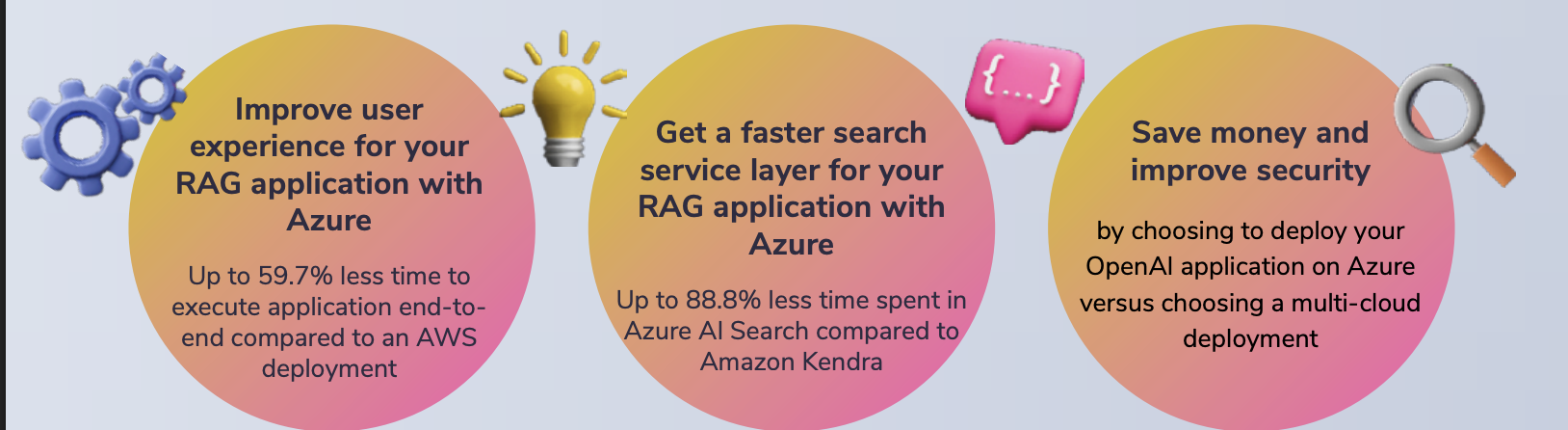
A hands-on test by Principled Technologies compared two approaches to running an AI application using Azure OpenAI. One approach was to host the app on Azure. The other hosted the app on AWS while still calling Azure OpenAI for the model. The results showed clear performance advantages when the application was deployed fully on Azure, especially in the RAG search layer.

Read more

SSD OpenStack VPS with Free Control Panel – 40% Lower Cost Cloud Servers for UK & Global Businesses

Why SSD OpenStack VPS is the Smart Choice for UK Businesses in 2026

Cloud hosting is no longer optional. It’s infrastructure.

If you’re running an e-commerce site, SaaS platform, agency project, or internal business system, you need speed, uptime, and scalability — without enterprise pricing.

That’s where DigitalBerg SSD OpenStack VPS changes the game.

We’ve reduced pricing by 40% while increasing performance and security.

What Makes OpenStack VPS Different?

OpenStack is an enterprise-grade cloud infrastructure used by global providers. Unlike traditional VPS hosting, OpenStack offers:

• High availability architecture

• Distributed storage

• Scalable compute resources

• Enterprise virtualisation

• Faster failover and redundancy

This means your server doesn’t depend on a single machine. It runs inside a cloud cluster.

Result?

Better uptime.

Better performance.

Better reliability. Read more

Maximising Website Speed with Unlimited SSD Web Hosting: A Technical Guide

Maximising Website Speed with Unlimited SSD Web Hosting: A Technical Guide

Slow-loading sites lose visitors before your content even appears. Your hosting setup plays a huge role in speed, but not all providers deliver on promises. This guide explains how unlimited SSD web hosting can reduce TTFB, improve Core Web Vitals, and power your site with deca-core CPUs and unlimited bandwidth from DigitalBerg. Read on to map every optimisation step to real-world hosting features that keep your site fast and ready for growth. For more insights on SSD hosting benefits, visit this guide.

SSD Performance Boosts

Unlocking the full potential of your website starts with understanding the power of SSDs. These modern drives significantly reduce loading times and elevate user satisfaction. Read more

VPS Hosting Explained: When to Choose a Virtual Private Server (and How DigitalBerg Makes It Simple)

VPS Hosting Explained: When to Choose a Virtual Private Server (and How DigitalBerg Makes It Simple)

Many small businesses outgrow shared hosting long before they realise it. Traffic spikes slow loading times, security feels shaky, and customisation hits a wall. That’s when a Virtual Private Server steps in — offering server isolation, root access, and scalable resources without the cost of a dedicated server. In this post, you’ll learn when VPS hosting makes sense and how DigitalBerg’s Cloud VPS combines SSD speed, deca-core power, and 24/7 expert support to keep your site fast and secure. For more information about Virtual Private Servers, you can visit this page.

Understanding VPS Hosting

To ensure your website runs smoothly and securely, it’s crucial to understand the different hosting options available. Let’s explore the concept of a Virtual Private Server and why it might be the right choice for your business.

Read more

Azure Key Vault Transition to RBAC: What You Must Do Before February 2027

Azure Key Vault Is Moving to RBAC – Are You Ready?

Microsoft has announced a major security change affecting Azure Key Vault users. If you rely on Azure Key Vault for secrets, keys, or certificates, action is required well before 27 February 2027 to avoid service disruption.

All Azure Key Vault API versions earlier than 2026-02-01 will be retired on that date. The upcoming 2026-02-01 API, releasing in February 2026, introduces a critical change: Azure role-based access control (RBAC) becomes the default access model for new vaults.

This shift is designed to improve security, consistency, and governance across Azure environments.

What Is Changing?

Under the new API version:

  • Azure RBAC will be the default access model for new Key Vaults
  • Existing vaults will continue using their current access configuration
  • The Azure Portal experience will remain unchanged
  • Legacy access policies will no longer be assumed by default

If your applications, scripts, or infrastructure templates rely on legacy access policies, you may encounter HTTP 403 permission errors unless changes are made.

Why Azure RBAC Matters

Azure RBAC provides:

  • Centralised identity and access management
  • Fine-grained permissions using Azure Active Directory
  • Better auditing and compliance
  • Consistent security across cloud services

This aligns Key Vault security with the rest of the Microsoft Azure ecosystem, reducing the risk of misconfiguration in production environments.

Required Action Before February 2027

To avoid outages or failed deployments, Microsoft strongly recommends one of the following actions:

Option 1: Migrate all Key Vaults to Azure RBAC

This is the preferred and future-proof approach.

Option 2: Explicitly configure legacy access policies

If you must continue using access policies, you must specify them in:

  • Azure CLI
  • PowerShell
  • REST API
  • ARM templates
  • Bicep
  • Terraform

If you do not explicitly configure this, new vaults will default to RBAC, which can break existing automation.

Common Risks If You Delay

  • Application authentication failures
  • CI/CD pipeline errors
  • Production outages due to missing roles
  • Security gaps caused by misconfigured permissions

This is especially risky for businesses running enterprise workloads, DevOps pipelines, or regulated systems.

How DigitalBerg Helps

At DigitalBerg, we help organisations prepare for platform-level changes like this by designing secure, Azure-ready infrastructure that scales with future updates.

Our servers and cloud solutions are optimised for:

  • Azure-integrated workloads
  • Secure key management
  • Enterprise DevOps pipelines
  • Hybrid and multi-cloud environments

Learn more about our infrastructure services here:

DigitalBerg Servers: https://digitalberg.com

Final Thoughts

The transition to Azure RBAC is mandatory — a security evolution. Planning early gives you time to test, migrate, and secure your environment without pressure.

If you manage Azure infrastructure today, now is the right time to review your Key Vault strategy.

Useful Resources

Microsoft Azure Key Vault documentation

Microsoft Q&A community support

Azure RBAC best practices

Azure

Azure Key Vault

Azure RBAC

Microsoft Azure

Cloud Security

DevOps

Enterprise Cloud

DigitalBerg

Infrastructure Security

How to Configure an Additional IP Address

How to Configure an Additional IP Address

Applies to: AlmaLinux 8 & 9, Rocky Linux 8 & 9

For Digitalberg VPS & Dedicated Server Clients


To configure an additional IP address on your Digitalberg server, follow the steps below carefully. This guide assumes you are using NetworkManager.

Step 1: Identify Your Main Network Interface

Run the following command:

ip a

Note the name of the main network interface. This is usually something like eth0.


Step 2: Create a New Configuration File

Each additional IP requires a separate configuration file in the /etc/sysconfig/network-scripts/ directory.

Use this format for the file name:

ifcfg-NETWORK_INTERFACE:ID

For example, for the first alias on eth0, use:

ifcfg-eth0:0

Create the file using:

sudo nano /etc/sysconfig/network-scripts/ifcfg-eth0:0

Step 3: Add the Configuration

Paste the following lines into the new file, replacing the values with your actual interface and IP:

DEVICE=eth0:0
ONBOOT=yes
BOOTPROTO=none  # Use "static" for CentOS
IPADDR=ADDITIONAL_IP
NETMASK=255.255.255.255
BROADCAST=ADDITIONAL_IP

Save and close the file.


Step 4: Restart the Network Interface

Apply the changes with:

sudo systemctl restart NetworkManager

Troubleshooting

  • If the additional IP doesn’t respond after restarting NetworkManager, try rebooting the server.
  • You can also test the configuration by setting the IP manually:
ifconfig eth0:0 ADDITIONAL_IP netmask 255.255.255.255 broadcast ADDITIONAL_IP up

Then try pinging the IP from an external device.


Still Not Working?

If you’re still facing issues:

  1. Ensure the IP is correctly routed and assigned to your server from the Digitalberg client panel.
  2. Confirm that your firewall or security rules aren’t blocking traffic to the new IP.
  3. If you’re unsure, feel free to open a support ticket via your Digitalberg dashboard and share the following:
  • Your OS name and version
  • Name of the interface used
  • The full content of the new config file

Create 19 Types of Websites With WordPress & DigitalBerg

At the point when individuals are choosing why they ought to utilize WordPress, we frequently get got some information about “can WordPress do? The answer is for the most part Yes. In this article, we will demonstrate to you 19 distinct sorts of sites you can make with WordPress without realizing any programming abilities.

Beginning With WordPress

You will require WordPress hosting by digitalberg and a domain name to begin with your WordPress site. Head over to our novice’s aide for complete orderly directions on the best way to introduce WordPress.

In the event that you simply need to play around with WordPress, then you can introduce it on you’re PC. Investigate our instructional exercises on the most proficient method to introduce WordPress on Windows and Mac PCs.

Read more

Backup as a Service (BaaS)

Data backup service or BaaS is an easy solution for a remote and safe data storage in Digital Berg cloud, which is deployed in large data centers in London, Frankfurt, Amsterdam and Riga.

Customers are able to back up a wide range of data. The most popular data types are folders with Word and Excel documents, photos and videos, emails, different small and medium databases, accounting programs, CRM, ERP and BI systems, workstations, servers etc.

Read more

DigitalBerg launches DaaS across Europe and Russia

Digitalberg has launched a cloud-based DaaS (Desktop as a Service) across data centers in London, Amsterdam, Frankfurt, Riga and Moscow to enhance work process with improved continuity and security. Now customers’ software and applications can be stored and processed remotely on demand, regardless of the geographical or organizational boundaries, creating a complete mobile workplace and ultimate user experience from anywhere in the world.

Read more