
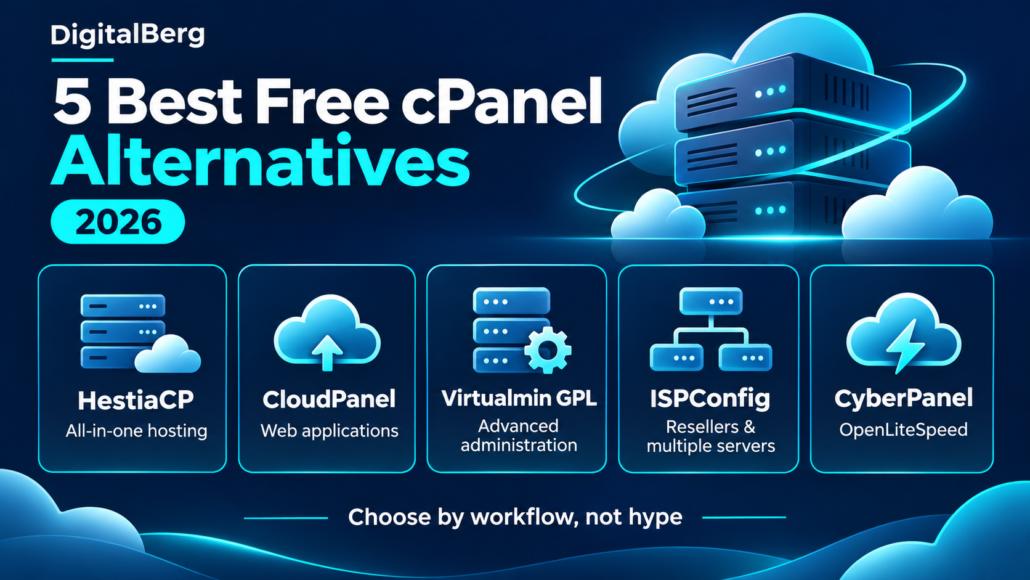
5 Best Free cPanel Alternatives in 2026
Reviewed: 5 November 2026. A practical, documentation-based comparison for Linux VPS owners, agencies and hosting providers.
Choosing a free cPanel alternative starts with a simple question: what do you actually need to manage? A WordPress site with email hosted elsewhere has different requirements from a server that runs customer websites, mailboxes and DNS.
This guide compares HestiaCP, CloudPanel, Virtualmin GPL, ISPConfig and CyberPanel. Each offers a free panel or free core, but they are not interchangeable. The right choice depends on your services, permissions, migration plan and willingness to administer Linux.
How we compared them: We reviewed official product and edition documentation on the date above. Recommendations are editorial judgements about fit, not results from hands-on performance testing or an independent security audit. “Free” refers to the panel licence or core edition; servers, storage, email services, support and optional add-ons can still cost money.
Quick answer: which free cPanel alternative should you choose?
- HestiaCP: our starting point for traditional hosting on one server, including websites, email and DNS.
- CloudPanel: a candidate for WordPress and application hosting when email is handled separately.
- Virtualmin GPL: worth considering when an experienced administrator wants detailed control over hosting services.
- ISPConfig: the first option here to evaluate for free reseller roles and central management of multiple servers.
- CyberPanel: a candidate when OpenLiteSpeed is a deliberate part of your hosting plan.
Before choosing a server, make a list of required services and check the panel’s current operating-system requirements. DigitalBerg’s Ubuntu VPS setup guide is useful background reading; follow your chosen panel’s own installation instructions for the actual deployment.
Free cPanel alternatives: comparison table
This table focuses on the editions discussed here. A “yes” means the capability is documented, not that every associated feature or integration is free.
| Panel / edition | Suggested use | Built-in email | DNS approach | Web server | Main caveat |
|---|---|---|---|---|---|
| HestiaCP | Traditional single-server hosting | Yes, when installed | Local DNS; DNS clustering available | NGINX + PHP-FPM or NGINX + Apache | Do not assume user accounts equal a WHM reseller hierarchy |
| CloudPanel | WordPress and web applications | No | Use a separate DNS service | NGINX | Not an all-in-one mailbox hosting replacement |
| Virtualmin GPL | Detailed Linux hosting administration | Yes, with mail stack configured | Local DNS supported | Apache or NGINX | Dedicated reseller accounts belong to Professional |
| ISPConfig | Customer, reseller and multiserver hosting | Yes, with mail services configured | BIND or PowerDNS | Apache or NGINX | Plan service roles and administration carefully; extensions can be paid |
| CyberPanel core | OpenLiteSpeed hosting | Yes | PowerDNS | OpenLiteSpeed | Enhanced backup and WordPress tools are optional paid add-ons |
Sources: HestiaCP features, CloudPanel documentation, Virtualmin editions, ISPConfig overview and CyberPanel core versus add-ons.
1. HestiaCP: a practical all-in-one starting point
HestiaCP is an open-source panel under the GPLv3 licence. Its documented features cover hosting users, web domains, email, DNS, databases, TLS certificates and automated backups. It supports both NGINX with PHP-FPM and an NGINX/Apache arrangement. See the official feature list.
Our take: shortlist it if you want a conventional hosting workflow on one VPS. For example, a business managing a website and a handful of mailboxes may prefer having those services together.
Watch the trade-off: putting mail and websites on one machine makes that machine a shared point of failure. An account-management interface also does not establish that a panel meets your reseller permission, billing or isolation requirements. Write those requirements down before committing.
Best fit: administrators seeking an integrated starting point who are prepared to maintain the underlying server.
2. CloudPanel: focused on websites and applications
CloudPanel’s documentation describes a free panel for PHP, Node.js, Python, static sites and reverse proxies. Its stack uses NGINX. Crucially, CloudPanel does not provide built-in email hosting; mail must be handled separately.
Our take: consider it for an agency hosting WordPress or custom applications while clients use Microsoft 365 or another email provider. That keeps the panel’s job focused on the web environment.
Watch the trade-off: moving from cPanel still requires a plan for mailboxes and DNS. Do not interpret website-management access as a complete reseller hosting platform. Likewise, a particular web server does not guarantee a faster WordPress site: caching, plugins, database queries and available resources all matter.
Best fit: a web-focused VPS with external email. For infrastructure context, read DigitalBerg’s guide to VPS hosting for WordPress.
3. Virtualmin GPL: detailed control for administrators
Virtualmin is built on Webmin. The official edition comparison lists Apache or NGINX, MySQL and PostgreSQL, multiple PHP versions, mail administration, backups, Let’s Encrypt support, a CLI and an HTTP API in the free GPL edition.
Our take: this makes it worth evaluating when you want both a hosting interface and access to detailed server administration. That breadth can be useful when diagnosing a mail problem or automating repeated tasks.
Watch the edition boundary: dedicated reseller accounts are listed under Virtualmin Professional. The same applies to several advanced WordPress, backup and management features. Domain-owner access in GPL should not be confused with the paid reseller role.
Best fit: an administrator comfortable learning the services behind the interface. Try your actual account-permission and restore workflows before deciding that the free edition covers your needs.
4. ISPConfig: worth evaluating for reseller and multiserver hosting
ISPConfig’s official overview documents single-server and multiserver administration, web, mail, DNS and database services, plus administrator, reseller, client and mail-user logins. It is open source under the BSD licence.
Our take: it is the most relevant starting point in this shortlist when your requirements explicitly include reseller roles and managing services across several machines.
For example, a provider may eventually separate web hosting, mail and DNS. A central interface can help organise that arrangement, but you still need to design connectivity, recovery and failure handling.
Watch the trade-off: a free panel does not provide a complete hosting business. Billing, migration tooling and other extensions may involve separate products or costs. Verify provisioning, account limits and restore procedures against your business requirements.
Best fit: a technically supported hosting operation with time to plan its architecture.
5. CyberPanel: for an OpenLiteSpeed hosting workflow
CyberPanel’s core-versus-premium comparison lists OpenLiteSpeed, website management, Postfix/Dovecot email, PowerDNS, databases, file management and basic SSL management in the free core.
Our take: consider it when you specifically want an OpenLiteSpeed environment. Test your application’s caching, rewrite rules and administrative workflow on a staging server before moving production traffic.
Watch the edition boundary: the current paid add-on list includes WordPress Manager Pro and Backup V2. Do not assume that advanced staging, automated WordPress management or enhanced remote backup workflows come with the free core.
Best fit: administrators prepared to evaluate the OpenLiteSpeed stack and maintain it. Review official releases and security notices before installation, restrict administrative access, and test recovery. Those checks belong in the deployment process for every panel in this guide.
How to choose without regretting the migration
HestiaCP vs CloudPanel
Start with email. If hosting mailboxes alongside websites is a requirement, HestiaCP is the more natural shortlist candidate. If mail is already handled elsewhere and the job is to manage web applications, CloudPanel deserves a look. Then test the tasks you do every week: adding a domain, changing PHP settings, granting access and restoring a site.
Virtualmin GPL vs ISPConfig
Focus on account structure. Virtualmin GPL is worth testing for detailed server administration. ISPConfig deserves attention when reseller roles and central management of multiple servers are explicit requirements. Test a restricted customer login rather than judging either product solely from the administrator dashboard.
Work out the real operating cost
A licence saving is useful only if the resulting system is manageable. Budget for the server, off-server backup storage, monitoring, external email where needed, migration work and administrator time. Include a recovery exercise in that budget. A cheap setup that takes a full working day to restore may be a poor fit for an online shop.
Also decide who handles updates and incidents. If you are comparing DigitalBerg VPS hosting, confirm the current operating-system options and support scope before ordering. Do not assume a free panel is preinstalled or that third-party panel administration is included.
Can you move from cPanel without losing your websites?
Yes, a migration is possible, but treat it as a move between hosting environments rather than a cosmetic dashboard change. Files, databases, email, DNS, scheduled jobs and permissions can all need attention. A panel’s migration tool may cover only part of your account.
- Inventory the account. List domains, subdomains, document roots, databases, mailboxes, aliases, redirects, cron jobs, PHP versions and required extensions.
- Create independent backups. Keep copies of website files, database exports and important mail outside the source server. Check that archives open and exports can be read.
- Prepare a separate destination. Follow the panel’s current installer and supported-OS requirements. Avoid installing a new panel over an existing production hosting stack.
- Test before changing DNS. Use a temporary hostname or a local hosts-file override. Check HTTPS, redirects, forms, logins, uploads, scheduled tasks and transactional email.
- Plan mail explicitly. If mail is moving, account for mailbox data, passwords or resets, MX records, SPF, DKIM, DMARC and reverse DNS where relevant. Test sending and receiving with outside accounts.
- Plan the final synchronisation. For a shop or active membership site, prevent new orders or uploads from being stranded on the old server during cutover. Schedule a maintenance window if needed.
- Change DNS and monitor. Keep the source service available while caches expire, watch logs and check the application from outside your network.
- Keep a rollback route. Record the old DNS values and retain source backups. Understand how you would reconcile data created on the destination before switching back.
A backup job marked “successful” is not enough. Restore a representative site into a separate location and confirm that the application works. That exercise reveals missing database credentials, permissions and mail settings before an outage does.
Frequently asked questions
What is the best free cPanel alternative for a VPS?
Our starting recommendation is HestiaCP for integrated hosting and CloudPanel for web applications with external email. Choose according to services and maintenance needs rather than a universal ranking.
Are all five panels completely free?
Each has a free panel or core edition. That does not make the hosting environment free. Virtualmin Professional and CyberPanel add-ons introduce paid features, and ISPConfig offers separate extensions. Check edition terms before relying on a particular workflow.
Does CloudPanel include email accounts?
No. Its official documentation says it does not provide email hosting. Use an external provider or a separately administered mail solution and plan the migration accordingly.
Does Virtualmin GPL include reseller accounts?
The current official comparison lists dedicated reseller accounts under Virtualmin Professional. Do not plan a GPL deployment on the assumption that this paid role is included.
Which option should a hosting provider evaluate first?
ISPConfig is our starting candidate in this list for a provider requiring reseller roles and multiserver administration. Confirm that provisioning, billing, account permissions and recovery meet the actual service you intend to sell.
Will a free panel make WordPress faster?
There is no automatic performance improvement. Compare a representative site under equivalent conditions, including cache state, PHP version, database load and server resources. We have not run a comparative benchmark for this article.
Can I replace cPanel on a shared hosting account?
Normally, installing a server control panel requires administrative control of the server. A standard shared hosting login does not provide that. Ask your host about migration options or consider a VPS only if you can cover the administration work.
Our recommendation
For a conventional single-server setup, begin your evaluation with HestiaCP. For web applications with email elsewhere, try CloudPanel. Shortlist Virtualmin GPL for detailed administration, ISPConfig for reseller and multiserver requirements, and CyberPanel for OpenLiteSpeed.
Before moving a live site, run one realistic trial: install your chosen panel on a fresh server, migrate a copy, create a restricted user and restore a backup. That will tell you more about suitability than a long feature checklist.
Need help assessing the server requirements? Contact DigitalBerg with your website count, application stack, email needs and preferred management arrangement so the available options can be confirmed.
Official references and review notes
Product details checked on 5 November 2026. Features, licensing and supported operating systems can change; consult the current documentation before installation.





Leave a Reply
Want to join the discussion?Feel free to contribute!