
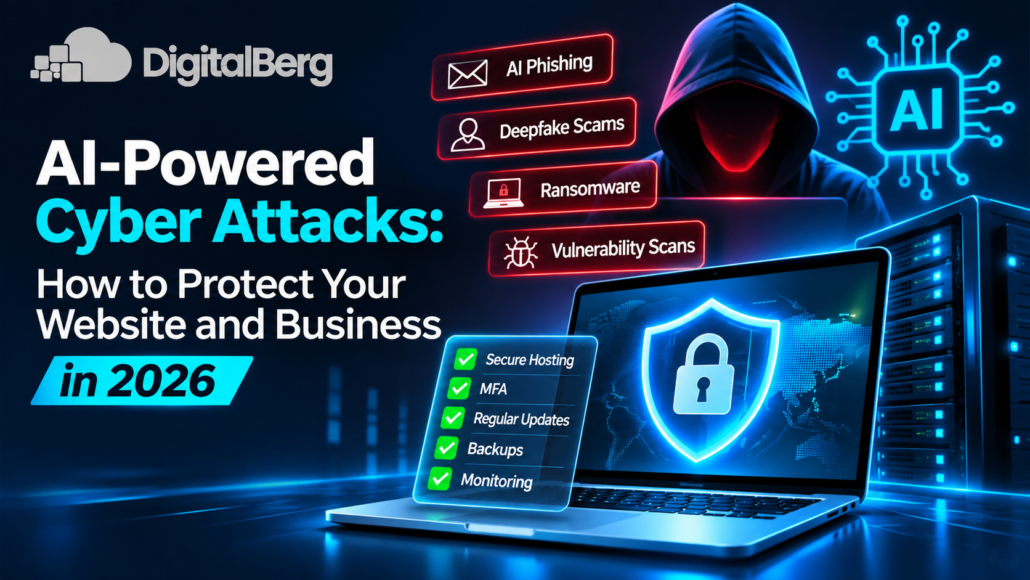
AI-Powered Cyber Attacks: How to Protect Your Website and Business in 2026
Artificial intelligence is changing how businesses work. It helps companies automate tasks, analyse information and improve customer experiences. However, cybercriminals are also finding ways to misuse this technology.
Today, AI powered cyber attacks can involve convincing phishing emails, fake voice messages, automated vulnerability scanning and sophisticated social engineering.
For website owners, online stores and businesses using cloud servers, these threats deserve attention.
The good news is that you do not need to be a cybersecurity expert to improve your protection.
This guide explains how AI is changing cyber threats, which risks matter most and what practical steps you can take to protect your website, business information and customers.
What Are AI-Powered Cyber Attacks?
AI-powered cyber attacks are malicious activities in which attackers use artificial intelligence to support or improve their methods.
Traditional cyber attacks often require significant manual work. AI tools can help attackers create realistic messages, analyse information and automate parts of their operations.
For example, a scammer might use AI to write a convincing email that appears to come from your hosting provider.
Another attacker might use automated tools to identify outdated website software.
AI does not make every attack successful. However, it can make certain attacks faster, more scalable and harder to recognise.
How are AI cyber threats different from traditional attacks?
The main difference is how attackers use automation and generated content.
AI can help cybercriminals:
- Create personalised phishing messages.
- Generate realistic fake voices or videos.
- Analyse publicly available business information.
- Automate repetitive reconnaissance tasks.
- Develop convincing impersonation attempts.
- Adapt malicious messages to different audiences.
These capabilities can make familiar cyber threats more difficult to detect.
6 AI-Powered Cyber Attacks Businesses Should Understand
Understanding the risks is the first step towards protecting your website and business.
1. AI-generated phishing emails
Phishing remains a common method of stealing passwords, financial information and account access.
With generative AI, attackers can create messages that appear professional and relevant.
Imagine receiving an email that says:
“Your hosting subscription requires immediate verification. Please confirm your account details to avoid service interruption.”
The email might use your company name, refer to your website and include convincing branding.
However, the link could lead to a fraudulent login page.
How to protect yourself:
- Check the sender’s actual email address.
- Avoid signing in through unexpected email links.
- Open your hosting account through its official website.
- Enable multi-factor authentication.
- Train employees to report suspicious messages.
Do not assume an email is safe simply because its grammar is correct.
2. AI voice cloning and deepfake scams
AI tools can generate convincing audio and video that imitate real people.
Attackers may use these techniques to impersonate business owners, managers or suppliers.
For example, an employee might receive a voice message that appears to come from a director requesting an urgent payment.
The voice may sound familiar, but that does not prove the request is genuine.
How to reduce the risk:
Establish a clear approval process for financial transactions.
Verify unusual requests through a separate, trusted communication channel.
For sensitive transactions, use more than one authorised approver.
Employees should understand that voices, images and videos can be manipulated.
3. Automated website vulnerability attacks
Many business websites rely on content management systems, plugins and third-party software.
Outdated components can create security weaknesses.
Attackers may use AI-assisted tools to speed up research and identify potential vulnerabilities.
WordPress websites, for example, need regular attention to plugin updates, administrator access and hosting configuration.
A vulnerable plugin can expose a website even when its design looks completely normal.
Practical protection steps:
- Keep WordPress core updated.
- Update themes and plugins.
- Remove unused extensions.
- Use reputable software sources.
- Limit administrator accounts.
- Monitor website activity.
- Maintain recoverable backups.
Website security should be treated as an ongoing responsibility, not a one-time task.
4. AI-assisted ransomware attacks
Ransomware is malicious software that can encrypt files or disrupt access to business systems.
Attackers may demand payment in exchange for restoring access.
AI can support parts of ransomware campaigns, including phishing preparation and target research.
For businesses that depend on websites, customer portals or online transactions, ransomware can create serious operational problems.
How to reduce ransomware risk:
Maintain regular, tested backups.
Keep at least one backup isolated from production systems.
Use endpoint protection where appropriate.
Restrict administrative privileges and remote access.
Apply security updates promptly.
Create an incident response plan before an attack occurs.
A backup is only useful when it can be restored successfully.
5. AI-driven credential attacks
Weak and reused passwords remain a major security problem.
Attackers may combine leaked credentials, automated login attempts and information gathered from public sources.
If an employee uses the same password for multiple services, one compromised account may create additional risks.
Protect important accounts with unique passwords and phishing-resistant authentication where possible.
This includes:
- WordPress administrator accounts.
- Hosting control panels.
- Domain registrar accounts.
- Business email accounts.
- Server management interfaces.
- Backup administration systems.
A password manager can help teams create and manage unique credentials.
6. AI tool data leaks and prompt injection
AI creates security risks beyond traditional hacking.
Employees may accidentally paste confidential customer information, credentials or internal documents into an AI tool.
Another concern is prompt injection.
This happens when malicious instructions hidden inside content attempt to influence an AI system’s behaviour.
For example, an AI assistant processing an external document might encounter instructions designed to make it reveal information or perform an unauthorised action.
Businesses using AI integrations should establish clear rules for data access, tool permissions and human approval.
How AI Is Also Improving Cybersecurity
Artificial intelligence is not only useful to attackers.
Security teams can use AI-assisted systems to analyse large volumes of events and identify suspicious activity.
Potential applications include:
Threat detection
AI-assisted monitoring tools can help identify unusual login patterns, unexpected traffic and abnormal system behaviour.
Malware analysis
Security tools may use machine learning to recognise suspicious files or behaviours.
Phishing detection
Email security systems can analyse message content, sender behaviour and other signals to identify possible phishing attempts.
Security alert prioritisation
AI can help security teams organise large numbers of alerts and identify those requiring urgent investigation.
Incident investigation
Security analysts can use AI-assisted tools to summarise logs and investigate potential incidents.
However, automated security systems can produce false positives and miss genuine threats.
Human oversight remains important.
How to Protect Your Website From AI-Powered Cyber Attacks
Effective cybersecurity begins with a strong technical foundation.
You do not need to purchase every security product available. Start by addressing the risks most relevant to your website.
Step 1: Secure your hosting environment
Your website’s hosting environment is an important part of its security.
A poorly configured server can expose services, applications and sensitive information.
When choosing a hosting solution, review its security capabilities and your responsibilities as the customer.
For businesses requiring greater control over server configuration, VPS hosting can provide a flexible environment.
However, a VPS is not automatically secure.
Operating system updates, firewall configuration, access control and application security still need proper management.
Step 2: Enable multi-factor authentication
Multi-factor authentication adds another verification requirement when users sign in.
Where available, use phishing resistant methods such as passkeys or security keys.
Prioritise administrator accounts, business email, hosting accounts and financial systems.
Step 3: Keep software updated
Cybercriminals frequently target known vulnerabilities in outdated software.
Create a regular update process covering:
- Operating systems.
- Web servers.
- WordPress and other CMS platforms.
- Plugins and themes.
- Databases.
- Security tools.
- Third-party applications.
Test important updates before applying them to production systems when compatibility risks are significant.
Step 4: Configure server access carefully
For VPS and dedicated server users, access control deserves special attention.
Use SSH keys instead of password-only SSH authentication where practical.
Restrict unnecessary network ports.
Avoid routine use of root or administrator privileges.
Remove unused accounts and services.
Review firewall rules regularly.
Step 5: Maintain reliable backups
Backups protect businesses against more than ransomware.
They also help recover from accidental deletion, software failures and unsuccessful updates.
A practical backup strategy should include:
- Automated backup schedules.
- Off-server backup storage.
- Restricted backup access.
- Appropriate retention periods.
- Regular restoration testing.
Do not assume a hosting plan includes a backup service without checking its terms.
Step 6: Monitor website and server activity
Monitoring can help identify problems before they become major incidents.
Useful signals include repeated failed logins, unexpected file changes, unusual outbound traffic and unexplained resource consumption.
Where appropriate, consider centralised logging and automated security alerts.
Step 7: Train employees to recognise AI scams
Even a well-secured server cannot prevent every form of social engineering.
Employees should know how to verify payment requests, identify suspicious messages and report potential security incidents.
Security training should reflect real situations employees encounter.
AI Cybersecurity for VPS and Dedicated Servers
Businesses using virtual or dedicated servers often have additional security responsibilities.
These systems may host websites, databases, customer applications and internal business tools.
A compromised server can affect multiple services at once.
VPS security essentials
A VPS security checklist should include:
- A supported, regularly updated operating system.
- A properly configured firewall.
- Strong SSH authentication.
- Restricted administrative access.
- Secure database configuration.
- Regular backups.
- Log monitoring.
- Application vulnerability management.
These controls are useful whether the server hosts a WordPress website, business application or development environment.
Dedicated server security considerations
Dedicated servers provide access to dedicated computing resources, but they also require careful security planning.
Important considerations include operating system hardening, network segmentation, access management and monitoring.
Businesses should also confirm which security tasks are handled by the hosting provider and which remain their responsibility.
For organisations evaluating infrastructure options, explore DigitalBerg to learn more about available hosting solutions.
Can AI Completely Prevent Cyber Attacks?
No.
AI-assisted cybersecurity tools can improve detection and support faster investigations, but they cannot guarantee complete protection.
Attackers continually change their techniques.
Security tools may also misunderstand normal activity or fail to recognise new threats.
A stronger approach combines technology, secure configuration, trained employees and clear procedures.
Think of AI as one part of your cybersecurity strategy rather than a replacement for established security practices.
What Should You Do If Your Website Is Attacked?
If you suspect that your website or server has been compromised, act carefully.
Identify the problem
Look for unusual redirects, unknown administrator accounts, suspicious files, unexpected traffic or unauthorised changes.
Contain the incident
Depending on the situation, restrict affected accounts, isolate compromised systems or temporarily disable vulnerable services.
Avoid destroying evidence that may be needed for investigation.
Protect account access
Change compromised credentials from a trusted device and revoke exposed sessions or tokens.
Contact relevant providers
Inform your hosting provider or security administrator when infrastructure support is required.
Investigate and recover
Determine how the incident occurred before restoring normal operations.
Use verified clean backups where appropriate.
Review reporting obligations
If personal data may have been exposed, assess applicable legal and contractual notification requirements.
A documented incident response plan can make these decisions easier under pressure.
Building a Practical AI Cybersecurity Strategy
Small businesses do not always have dedicated cybersecurity teams.
That makes prioritisation important.
Start with the following actions.
First 24 hours
Review administrator accounts, enable MFA and verify that recent backups exist.
First seven days
Check software updates, remove unnecessary plugins, review server access and confirm who handles security incidents.
First 30 days
Introduce employee awareness training, test backup restoration and review third-party AI tools.
Ongoing
Monitor important systems, review access permissions and reassess risks whenever new services are introduced.
These actions can significantly improve security readiness without requiring an unnecessarily complicated approach.
Frequently Asked Questions
What are AI-powered cyber attacks?
AI-powered cyber attacks involve the use of artificial intelligence to support malicious activities such as phishing, impersonation, reconnaissance and attack automation.
Can AI hack a website automatically?
AI can assist with certain stages of an attack, but successful compromise depends on actual vulnerabilities, access and security controls. AI does not automatically bypass every defence.
How can small businesses prevent AI phishing attacks?
Businesses should train employees, use multi-factor authentication, verify unusual requests and maintain effective email security controls.
Is VPS hosting secure against AI cyber threats?
VPS hosting can support a secure environment when configured and maintained properly. Security depends on the operating system, applications, access controls and ongoing management.
Can AI detect ransomware?
Some AI-assisted security tools can identify suspicious behaviours associated with ransomware. However, no detection system is completely reliable.
What is the biggest cybersecurity risk of using AI tools?
Important risks include exposing confidential information, trusting inaccurate outputs, granting excessive permissions and relying on poorly secured third-party integrations.
Do businesses need AI cybersecurity software?
Not necessarily. Businesses should first establish fundamental security controls and assess whether AI-assisted tools address specific risks.
Final Thoughts
AI-powered cyber attacks are changing how businesses need to think about cybersecurity.
Phishing emails can appear more convincing. Impersonation attempts can sound realistic. Automated tools can help attackers investigate vulnerable systems more efficiently.
However, strong cybersecurity still begins with familiar principles.
Keep software updated, protect accounts, secure hosting environments, train employees and maintain reliable backups.
AI can strengthen your security strategy, but it should support good practices rather than replace them.
Looking for reliable hosting infrastructure for your website or business applications?
Explore DigitalBerg’s hosting solutions and review the available options for your technical and operational requirements.




Leave a Reply
Want to join the discussion?Feel free to contribute!