
The Ultimate Guide to Unmetered Dedicated Servers: Benefits, Providers, and Pricing

In the landscape of modern hosting, unmetered dedicated servers have emerged as a cornerstone solution for organizations demanding uncompromising bandwidth, performance, and reliability. As of 2026, the exponential growth in data consumption, streaming services, cloud applications, and e-commerce has made bandwidth restrictions a critical bottleneck. Senior IT professionals and decision-makers are increasingly turning to unmetered dedicated servers to deliver seamless user experiences, support high-traffic operations, and future-proof their infrastructure investments. This guide offers an in-depth exploration of unmetered dedicated servers, their unique benefits, leading providers, current pricing structures, and actionable insights to help you make informed hosting decisions tailored to today’s digital demands.

What Are Unmetered Dedicated Servers?

Unmetered dedicated servers are physical servers allocated to a single client, offering unlimited data transfer within the constraints of the server’s network port speed. Unlike traditional metered solutions, where data transfer is capped and overages incur extra fees, unmetered hosting allows businesses to use bandwidth as needed without fear of hidden costs. This model is particularly attractive for enterprises with unpredictable or consistently high traffic, such as media streaming platforms, SaaS providers, and large e-commerce operations. By eliminating bandwidth ceilings, unmetered dedicated servers empower organizations to focus on growth and innovation rather than monitoring usage metrics.

Key Features of Unmetered Dedicated Servers

  1. Exclusive Resources: Clients receive full access to server hardware, ensuring optimal performance and security.
  2. Unlimited Bandwidth: No data transfer limits—traffic spikes do not result in penalties or throttling.
  3. Customizable Configurations: Hardware, storage, and network options are tailored to the client’s workload.
  4. High Uptime Guarantees: Enterprise-grade SLAs ensure reliability for mission-critical applications.
  5. Scalable Network Ports: Options range from 100 Mbps to multi-Gigabit connections, supporting diverse traffic profiles.

How Unmetered Differs From Unlimited and Metered Hosting

Unmetered dedicated servers are often misunderstood in contrast with 'unlimited' or 'metered' offerings. While 'unlimited' typically alludes to shared hosting plans with vague restrictions, unmetered dedicated servers offer transparent, contractually defined access to a dedicated physical server and its full port capacity. Metered servers, conversely, enforce strict data caps—exceeding these results in overage charges or service disruption. For organizations with fluctuating or unpredictable network demands, choosing unmetered hosting ensures budget predictability and operational continuity, setting it apart as the preferred model for scalability and resilience in 2026.

Benefits of Unmetered Dedicated Servers

Enhanced Performance and Reliability

Unmetered dedicated servers deliver consistent, high-level performance by dedicating all hardware resources to a single client. This eliminates the 'noisy neighbor' effect common in shared environments and provides a stable foundation for resource-intensive applications. With no bandwidth throttling, enterprises can assure uninterrupted streaming, rapid content delivery, and smooth SaaS operations even during peak times. Real-time gaming providers, for example, rely on unmetered bandwidth to maintain low latency and prevent packet loss, directly impacting customer satisfaction and retention.

Predictable Costs and Simplified Billing

A chief advantage of unmetered dedicated servers is predictable monthly billing. Traditional metered hosting can result in unexpected overage charges when traffic surges. With an unmetered model, clients pay a flat fee for a specified port speed, regardless of actual bandwidth usage. This transparency aids in budget planning and eliminates the risk of bill shock. Senior IT managers appreciate this cost control, particularly in environments with variable workloads or global campaigns that can cause traffic spikes at unpredictable intervals.

Improved Security and Compliance

Organizations in regulated sectors—finance, healthcare, and government—require strict compliance and advanced security measures. Unmetered dedicated servers offer full isolation from other clients, minimizing the risk of data breaches and lateral attacks. Providers often include DDoS protection, dedicated firewalls, and enhanced monitoring, supporting adherence to standards such as GDPR, HIPAA, and PCI DSS. Case in point: a European fintech provider leveraged unmetered hosting to handle large-scale transaction processing while maintaining full compliance and passing rigorous audits.

Leading Providers of Unmetered Dedicated Servers (2026)

Industry Leaders: OVHcloud, Hetzner, and GTHost

As of 2026, several providers dominate the unmetered dedicated server landscape. OVHcloud remains a global leader, offering a vast selection of configurable servers with unmetered bandwidth options up to 10 Gbps. Their robust European and North American networks ensure low latency and high availability. Hetzner, a German powerhouse, is renowned for competitive pricing and energy-efficient data centers, making it a top choice for sustainability-focused enterprises. GTHost distinguishes itself with instant server deployment and a focus on high-throughput connectivity, particularly for streaming and CDN applications. Each provider brings unique strengths, from advanced DDoS mitigation to expansive geographic reach, catering to diverse enterprise needs.

Niche and Specialized Providers

While industry giants capture much of the market, specialized vendors—such as Psychz Networks, ReliableSite, and RedSwitches—offer tailored unmetered dedicated server solutions for specific workloads. Psychz Networks excels in DDoS-protected hosting, serving gaming and cryptocurrency clients with high-risk profiles. ReliableSite is known for 24/7 on-site support and flexible server configurations, ideal for U.S.-based enterprises prioritizing rapid response. RedSwitches caters to clients needing high-density storage or GPU-accelerated servers, supporting AI research and big data analytics. These providers often accommodate unique compliance or customization requirements not addressed by larger competitors.

Comparing Service Levels and Network Reach

When selecting a provider, it is essential to compare service-level agreements (SLAs), network uptime statistics, and available support channels. Industry leaders typically offer 99.99% uptime guarantees, multi-layered DDoS protection, and 24/7 support via multiple channels. Network reach is equally critical: a provider with data centers in key geographic regions can deliver superior latency for global user bases. For instance, a SaaS company with clients across Asia and North America may prioritize providers with strong transpacific connectivity, ensuring fast, reliable access for all customers.

Pricing Models for Unmetered Dedicated Servers

Flat-Rate and Tiered Pricing Explained

Most unmetered dedicated servers operate on a flat-rate pricing model, where the monthly fee is determined by the server’s hardware configuration and the maximum network port speed (e.g., 1 Gbps, 10 Gbps). Some providers offer tiered plans with varying levels of DDoS protection, support, or geographic coverage. For example, an entry-level 1 Gbps unmetered server may start at $100–$150/month, while high-performance 10 Gbps options with enterprise support can exceed $800/month. Transparent, fixed pricing allows IT leaders to align costs with business growth and avoid surprise expenses as bandwidth usage evolves.

Factors Influencing Cost

Several factors influence the cost of unmetered dedicated servers. Hardware specifications—such as CPU model, RAM size, and SSD or NVMe storage—play a significant role. Network port speed is another driver; a 10 Gbps unmetered connection is substantially more expensive than a 1 Gbps port due to higher infrastructure and peering costs. Premium features, including hardware firewalls, private networking, and geographically distributed IP addresses, further impact pricing. Additionally, providers with data centers in high-demand locations (e.g., Frankfurt, Singapore, Los Angeles) often charge a premium for superior connectivity and latency.

Real-World Pricing Scenario

Consider a media streaming startup requiring unmetered bandwidth for 24/7 HD video delivery. The company selects a 2x Intel Xeon Silver server with 128 GB RAM, NVMe storage, and a 10 Gbps unmetered port from OVHcloud. The base monthly rate is $900, with optional add-ons for DDoS protection (+$50) and backup solutions (+$40). This all-inclusive, predictable pricing model enables the startup to scale globally without fearing bandwidth overages or service interruptions, aligning perfectly with its rapid growth trajectory.

Use Cases and Industry Applications

Streaming, Content Delivery, and Gaming

Unmetered dedicated servers are essential for industries reliant on constant, high-volume data transfer. Streaming platforms—offering video, audio, or live broadcasts—require predictable bandwidth to deliver uninterrupted content. Content delivery networks (CDNs) use unmetered servers at edge locations to minimize latency for global audiences. Gaming companies deploy these servers for multiplayer environments, where split-second responsiveness is vital. For example, a global gaming studio utilizes unmetered hosting in Frankfurt, Tokyo, and Los Angeles to support millions of concurrent players, ensuring seamless gameplay regardless of regional traffic surges.

SaaS, E-Commerce, and Big Data

Software-as-a-Service (SaaS) providers and e-commerce giants prioritize unmetered dedicated servers to guarantee uptime and user experience during promotional events or high-traffic sales periods. Additionally, big data analytics firms process massive datasets that can quickly surpass traditional bandwidth caps. A SaaS provider, for instance, may deploy unmetered servers to host customer-facing applications in North America and Europe, leveraging high-speed ports to deliver real-time analytics and maintain consistent application performance across continents.

Compliance-Driven Sectors: Finance and Healthcare

For organizations in highly regulated sectors, unmetered dedicated servers provide the network isolation and audit-ready infrastructure required by laws such as HIPAA and PCI DSS. Healthcare providers leverage these solutions to securely transmit patient records and medical imaging, while financial institutions use them for high-frequency trading and secure customer portals. In a recent example, a European healthcare chain migrated to unmetered servers to meet GDPR mandates, passing stringent security audits and reducing compliance overhead through built-in monitoring and encrypted backups.

How to Choose the Best Unmetered Dedicated Server for Your Needs

Assess Your Bandwidth and Performance Requirements

Begin by analyzing your historical bandwidth usage and projecting future growth. Consider peak traffic periods, average throughput, and any anticipated expansion or promotional events. Identify mission-critical applications and their required latency or uptime levels. For example, a live-streaming platform may require a 10 Gbps port for maximum concurrency, while a regional SaaS provider could operate efficiently on a 1 Gbps connection. Accurate assessment ensures you select a server configuration that balances cost with performance, avoiding over- or under-provisioning.

Evaluate Provider Reputation and Support

Research potential providers’ track records for uptime, incident response, and customer support. Seek out third-party reviews, case studies, and industry benchmarks. For mission-critical workloads, prioritize vendors offering 24/7 support, proactive monitoring, and geographically distributed data centers. Requesting a trial period or pilot deployment can further validate the provider’s capabilities before committing to a long-term contract.

Security, Compliance, and Customization Considerations

Ensure the provider offers security features aligned with your regulatory and operational requirements. Look for customizable firewall rules, real-time monitoring, and compliance certifications. For workloads involving sensitive data, confirm the availability of private networking, encrypted backups, and granular access controls. The ability to tailor server hardware and network setup is often a differentiator, enabling you to address specialized workloads or compliance mandates efficiently.

Actionable Takeaways and Implementation Tips

  • Map your bandwidth needs and future growth plans before selecting a server.
  • Compare at least three providers, focusing on SLAs, support quality, and geographic reach.
  • Prioritize transparent pricing and avoid contracts with ambiguous bandwidth terms.
  • Review compliance and security features to ensure regulatory alignment.
  • Test network performance and support responsiveness during a pilot phase.

Ready to Optimize Your Infrastructure?

Explore leading unmetered dedicated server providers today to future-proof your business against bandwidth barriers and unpredictable traffic. For tailored recommendations or an in-depth needs assessment, contact our enterprise hosting consultants or request a custom quote directly from top vendors. Making the right infrastructure investment now positions your organization for scalable, secure, and cost-efficient digital growth in 2026 and beyond.

Conclusion: Why Unmetered Dedicated Servers Are a 2026 Essential

Unmetered dedicated servers have become indispensable for organizations navigating the high-bandwidth, always-on digital environment of 2026. By offering cost predictability, unrivaled performance, and advanced security, they enable enterprises to scale without compromise. Whether you operate in media streaming, e-commerce, SaaS, or regulated industries, investing in an unmetered dedicated server solution ensures operational resilience and competitive advantage. Select your provider with care, align server capabilities with business objectives, and leverage expert support to maximize your infrastructure investment. For senior professionals seeking to lead in today’s bandwidth-driven market, unmetered dedicated servers are not just an option—they are a strategic necessity.

Understanding VPS Hosting with DDoS Protection: What You Need to Know

In today's digital landscape, the resilience and security of hosting environments are more critical than ever. As organizations increasingly rely on online infrastructure to run vital operations, the demand for robust and secure hosting solutions has surged. VPS hosting with DDoS protection stands out as a cornerstone for businesses seeking performance, flexibility, and defense against modern cyber threats. This comprehensive guide explores every facet of VPS hosting paired with advanced DDoS protection, helping senior professionals make informed decisions in 2026's security-conscious climate.

Virtual Private Server (VPS) hosting blends the affordability of shared hosting with the power of dedicated resources. Unlike traditional shared hosting, where multiple websites share a single server’s resources, VPS hosting allocates specific virtualized resources to each user. This segmentation ensures higher performance, scalability, and customization options. With the proliferation of resource-intensive applications and complex websites, VPS hosting has become the preferred choice for organizations requiring reliability without the expense of a dedicated server. In 2026, VPS environments commonly support mission-critical workloads for enterprises, SaaS providers, and e-commerce platforms, underscoring their essential role in business infrastructure.

What Sets VPS Hosting Apart: A Technical Overview

Dedicated Resources and Isolation

A VPS leverages virtualization technology to partition a single physical server into multiple isolated environments. Each VPS operates independently with its own operating system, storage, CPU, and RAM allocation. This ensures that performance is unaffected by neighboring users, a common issue in shared hosting scenarios. The isolation also contributes to improved security, as vulnerabilities or resource spikes in one VPS do not impact others on the same hardware.

Scalability and Flexibility

In 2026, business needs evolve rapidly, and VPS hosting adapts quickly to meet changing requirements. Users can seamlessly scale resources up or down—adding CPU cores, memory, or storage—without significant downtime. This flexibility is vital for businesses experiencing fluctuating traffic, such as e-commerce brands during sales events or SaaS providers onboarding new clients. The ability to customize operating systems, install bespoke applications, and configure firewalls further differentiates VPS solutions from basic hosting options.

Cost-Efficiency and Control

Compared to dedicated servers, VPS hosting offers a compelling balance between cost and control. Organizations can access root-level privileges and advanced management tools without the overhead of maintaining physical hardware. This model reduces capital expenditures while delivering the autonomy necessary for complex deployments. In the current market, the cost savings and operational efficiencies of VPS hosting contribute to its widespread adoption among startups and established enterprises alike.

The Growing Threat of DDoS Attacks in 2026

Understanding DDoS: A Persistent Security Challenge

Distributed Denial of Service (DDoS) attacks continue to represent a significant threat to organizations of all sizes in 2026. These attacks aim to overwhelm network, server, or application resources by flooding them with illegitimate traffic from multiple sources. Attackers leverage botnets, IoT vulnerabilities, and sophisticated evasion techniques, making DDoS threats increasingly difficult to mitigate. The consequences range from prolonged downtime and lost revenue to reputational damage and regulatory penalties.

Modern DDoS Attack Vectors

Today’s DDoS attacks are multifaceted, often combining volumetric, protocol, and application-layer techniques. Volumetric attacks saturate bandwidth, while protocol attacks exploit server resources by targeting session tables or specific network protocols. Application-layer attacks, such as HTTP floods, mimic legitimate traffic, making detection challenging. In 2026, attackers deploy AI-driven botnets and exploit zero-day vulnerabilities, escalating the sophistication and frequency of DDoS incidents. These trends demand proactive and advanced protection strategies for all online assets, especially those hosted on VPS infrastructure.

The Impact of DDoS Attacks on Businesses

The ramifications of a successful DDoS attack extend beyond immediate service disruptions. Prolonged outages undermine customer trust, trigger contractual breaches, and can incur substantial financial losses. For regulated industries such as finance or healthcare, compliance violations resulting from downtime may lead to hefty penalties. In 2026, organizations must prioritize not only uptime but also the integrity and reputation of their digital presence. This reality underscores the imperative for VPS hosting with integrated DDoS protection as a strategic necessity.

DDoS Protection Explained: Essential Features for VPS Hosting

Automated Traffic Filtering

Effective DDoS mitigation relies on advanced traffic filtering technologies capable of distinguishing between legitimate and malicious requests. Modern solutions utilize machine learning algorithms to analyze traffic patterns in real time, automatically blocking abnormal spikes or suspicious activities. In VPS hosting environments, these filters are deployed at both the network and application layers, ensuring comprehensive protection against volumetric and sophisticated, targeted attacks.

Real-Time Monitoring and Alerts

Continuous network monitoring is a hallmark of robust DDoS protection. 24/7 surveillance tools enable administrators to detect anomalies, receive instant alerts, and respond proactively before attacks escalate. In 2026, integrated dashboards present actionable intelligence, including attack vectors, origin points, and mitigation effectiveness. This real-time visibility empowers organizations to maintain service continuity and adapt their defenses dynamically.

Traffic Scrubbing and Rate Limiting

Traffic scrubbing centers and rate-limiting mechanisms are essential components of an effective DDoS mitigation stack. Scrubbing centers analyze and cleanse incoming data, blocking malicious packets before they reach the VPS. Rate limiting, on the other hand, restricts the number of requests from a single source, thwarting common attack patterns without impacting legitimate users. Leading VPS providers in 2026 offer these services as part of their default security package or as premium add-ons for higher-risk environments.

Multi-Layered Security Integrations

The most resilient DDoS protection strategies utilize a defense-in-depth approach, integrating network firewalls, web application firewalls (WAFs), and behavioral analytics. This multi-layered architecture ensures that if one defense fails, others remain active to thwart ongoing attacks. In VPS environments, seamless integration with security orchestration tools and APIs allows for automated responses and rapid adaptation to evolving threats—an essential capability in the dynamic threat landscape of 2026.

Selecting a VPS Hosting Provider with DDoS Protection

Key Evaluation Criteria

Choosing the right VPS provider involves assessing various factors beyond just price and hardware specifications. Security features, DDoS mitigation capabilities, uptime guarantees, scalability, and support responsiveness are paramount. Providers offering customizable DDoS defenses, transparent incident reporting, and proactive mitigation workflows stand out as leaders in the field. Senior professionals should prioritize vendors demonstrating a proven track record in defending against large-scale attacks and providing uninterrupted service.

Comparing DDoS Protection Tiers

Not all DDoS protection is created equal. Providers may offer tiered protection packages, ranging from basic volumetric filtering to advanced, fully managed solutions with AI-driven analytics and custom rule sets. It is essential to match the organization’s threat profile with the appropriate protection tier. For example, online retailers with frequent flash sales may require higher levels of mitigation than a small professional blog. Understanding the nuances of each provider’s offerings ensures optimal alignment with business risk tolerance and operational needs.

Support, SLAs, and Incident Response

A strong VPS hosting partner provides more than just technical defenses. Service level agreements (SLAs) specifying guaranteed uptime, response times, and compensation for outages are vital contractual safeguards. Equally important is the availability of expert support during and after a DDoS incident. Providers offering 24/7 crisis response teams, detailed post-mortem reports, and proactive threat intelligence sharing add significant value. These factors are crucial in 2026, as attack complexity and business dependency on digital services continue to rise.

Case Study: Financial Services Firm Deploys Advanced VPS with DDoS Protection

Consider a multinational financial services provider managing sensitive transactions across multiple regions. In 2026, the firm migrates to a leading VPS hosting platform with integrated DDoS protection. During a coordinated attack targeting its customer portal, the provider’s automated scrubbing centers and behavioral analytics detect and neutralize the threat within minutes. The attack, which peaked at 200 Gbps, results in zero downtime and no impact on customer transactions. The post-incident review highlights the effectiveness of multi-layered defenses, real-time monitoring, and responsive support, demonstrating the tangible benefits of selecting a security-focused VPS partner.

Implementation Strategies for VPS Hosting with DDoS Protection

Assessing Your Threat Landscape

Every organization’s risk profile is unique. Begin by mapping your digital assets, identifying critical services, and evaluating historical attack data. Consider not only direct threats but also collateral risks from partners and supply chains. In 2026, leveraging threat intelligence feeds and vulnerability assessments allows companies to proactively adjust protection levels and ensure that DDoS mitigation aligns with evolving business objectives.

Integrating DDoS Protection into DevOps Pipelines

Modern organizations deploy code and infrastructure changes rapidly through DevOps pipelines. Integrating DDoS protection into these workflows ensures security remains a priority from development to production. Automation tools can provision, configure, and test DDoS mitigation settings as part of continuous integration/continuous deployment (CI/CD) processes. This proactive approach reduces configuration drift and ensures that every new service benefits from consistent, up-to-date defenses—critical in the fast-paced digital environment of 2026.

Testing and Validating DDoS Defenses

Routine testing is essential to validate the effectiveness of DDoS protection. Organizations should conduct regular attack simulations, leveraging third-party testing services or in-house red teams. These exercises help identify gaps, fine-tune detection thresholds, and ensure incident response plans are actionable. In 2026, many VPS providers offer attack simulation tools within their management dashboards, enabling businesses to test defenses without risking production downtime.

Actionable Checklist: Deploying VPS Hosting with DDoS Protection

  • Evaluate business-critical assets and map potential attack vectors
  • Choose a VPS provider with proven DDoS mitigation capabilities
  • Select the appropriate protection tier based on risk assessment
  • Integrate DDoS protection into DevOps and CI/CD pipelines
  • Establish monitoring, alerting, and incident response protocols
  • Regularly test and refine DDoS defenses through simulated attacks
  • Review SLAs and ensure comprehensive post-incident support

Trends and Innovations in VPS Hosting with DDoS Protection (2026)

AI-Powered DDoS Mitigation

Artificial intelligence plays a pivotal role in DDoS protection strategies in 2026. Machine learning models analyze massive volumes of network data in real time, identifying emerging attack patterns and adjusting mitigation parameters autonomously. This results in faster response times and more accurate filtering, minimizing false positives and ensuring legitimate user access. AI-driven defense is now the standard among leading VPS hosting providers, offering enhanced protection against evolving threats.

Edge Computing and Distributed Protection

With the rise of edge computing, DDoS mitigation has shifted closer to the network perimeter. Distributed scrubbing centers and edge nodes analyze and filter traffic before it reaches the core infrastructure, reducing latency and improving scalability. In 2026, many VPS providers integrate global edge networks, enabling granular, region-specific protections and faster response to attacks targeting geographically dispersed users.

Regulatory Compliance and Data Sovereignty

As data protection regulations mature, compliance is central to hosting decisions. VPS hosting with DDoS protection now routinely includes features for regulatory reporting, data residency controls, and automated compliance checks. Providers offer detailed audit logs and compliance dashboards, simplifying due diligence for regulated industries. In 2026, selecting a provider that aligns with jurisdictional requirements is a must for organizations handling sensitive or regulated data.

Case Study: E-Commerce Platform Ensures 99.99% Uptime with Next-Gen VPS Hosting

A global e-commerce company relies on VPS hosting with advanced DDoS protection to support high-traffic events. During a record-breaking sales campaign in early 2026, the platform experiences an unprecedented surge in legitimate traffic alongside targeted DDoS attacks. Thanks to AI-powered filtering and distributed edge mitigation, the company maintains 99.99% uptime, processes millions of transactions, and receives customer praise for reliability. This case exemplifies how modern DDoS protection strategies safeguard business continuity and customer satisfaction.

Next Steps: Building a Resilient VPS Hosting Strategy

Evaluate Your Current Hosting and Security Posture

Begin by conducting a thorough review of your existing hosting environment and security controls. Identify gaps in DDoS protection, assess incident response readiness, and benchmark your current uptime performance. This foundational assessment provides clarity on whether migrating to or upgrading your VPS hosting with DDoS protection is necessary.

Engage with VPS Providers for Custom Solutions

Reach out to leading VPS hosting providers offering DDoS protection to discuss your unique requirements. Request detailed service documentation, case studies, and, if possible, references from clients in similar industries. Engage in proof-of-concept trials to validate performance and support capabilities before making a long-term commitment. In 2026, many providers offer tailored onboarding and migration assistance, smoothing the transition for complex infrastructures.

Implement and Continuously Improve

Once deployed, treat DDoS protection as a dynamic, evolving process. Regularly update defense configurations, monitor threat intelligence, and refine incident response plans. Foster a culture of continuous improvement by investing in staff training and leveraging managed services for advanced security management. This long-term approach ensures your VPS environment remains resilient against emerging threats and supports business growth.

Conclusion: Secure Your Digital Assets with VPS Hosting and DDoS Protection

In 2026, the convergence of performance, flexibility, and robust security makes VPS hosting with DDoS protection indispensable for modern enterprises. By understanding the evolving threat landscape, evaluating provider capabilities, and adopting proactive implementation strategies, organizations can ensure uninterrupted service, regulatory compliance, and customer confidence. Whether you manage sensitive financial transactions or support global e-commerce campaigns, investing in advanced VPS hosting with integrated DDoS mitigation is fundamental to digital resilience. Take decisive action today—review your strategy, engage expert providers, and build a secure future for your business.

How to Configure an Additional IP Address

How to Configure an Additional IP Address

Applies to: AlmaLinux 8 & 9, Rocky Linux 8 & 9

For Digitalberg VPS & Dedicated Server Clients


To configure an additional IP address on your Digitalberg server, follow the steps below carefully. This guide assumes you are using NetworkManager.

Step 1: Identify Your Main Network Interface

Run the following command:

ip a

Note the name of the main network interface. This is usually something like eth0.


Step 2: Create a New Configuration File

Each additional IP requires a separate configuration file in the /etc/sysconfig/network-scripts/ directory.

Use this format for the file name:

ifcfg-NETWORK_INTERFACE:ID

For example, for the first alias on eth0, use:

ifcfg-eth0:0

Create the file using:

sudo nano /etc/sysconfig/network-scripts/ifcfg-eth0:0

Step 3: Add the Configuration

Paste the following lines into the new file, replacing the values with your actual interface and IP:

DEVICE=eth0:0
ONBOOT=yes
BOOTPROTO=none  # Use "static" for CentOS
IPADDR=ADDITIONAL_IP
NETMASK=255.255.255.255
BROADCAST=ADDITIONAL_IP

Save and close the file.


Step 4: Restart the Network Interface

Apply the changes with:

sudo systemctl restart NetworkManager

Troubleshooting

  • If the additional IP doesn’t respond after restarting NetworkManager, try rebooting the server.
  • You can also test the configuration by setting the IP manually:
ifconfig eth0:0 ADDITIONAL_IP netmask 255.255.255.255 broadcast ADDITIONAL_IP up

Then try pinging the IP from an external device.


Still Not Working?

If you’re still facing issues:

  1. Ensure the IP is correctly routed and assigned to your server from the Digitalberg client panel.
  2. Confirm that your firewall or security rules aren’t blocking traffic to the new IP.
  3. If you’re unsure, feel free to open a support ticket via your Digitalberg dashboard and share the following:
  • Your OS name and version
  • Name of the interface used
  • The full content of the new config file

Step-by-Step Guide to Install IonCube Loader on Debian with PHP 8.2 in Virtualmin for WHMCS

Step 1: Update Your System

Before proceeding, ensure your system is up to date. Run the following commands:

sudo apt update && sudo apt upgrade -y

Step 2: Download the Latest IonCube Loader

Download the latest version of IonCube for Linux (64-bit):

cd /usr/local/src
wget https://downloads.ioncube.com/loader_downloads/ioncube_loaders_lin_x86-64.tar.gz

Extract the archive:

tar -xvzf ioncube_loaders_lin_x86-64.tar.gz

Step 3: Find the PHP Extension Directory

Determine the PHP extension directory by running:

php -i | grep extension_dir

This will return a path, such as:

extension_dir => /usr/lib/php/20220829

Make a note of this path.

Step 4: Move IonCube Loader to PHP Extensions Directory

Move the appropriate IonCube loader file to the PHP extension directory:

sudo cp ioncube/ioncube_loader_lin_8.2.so /usr/lib/php/20220829/

Step 5: Find the Correct PHP INI File

To locate the active php.ini file, use:

php -i | grep "Loaded Configuration File"

You should see an output like:

Loaded Configuration File => /etc/php/8.2/apache2/php.ini

Make a note of this path.

To find the php.ini file used by the PHP CLI, run:

php -i | grep 'php.ini'

Example output:

Configuration File (php.ini) Path => /etc/php/8.2/cli
Loaded Configuration File => /etc/php/8.2/cli/php.ini

This confirms the exact php.ini file used by the CLI.

Step 6: Edit PHP.ini to Enable IonCube

Open the php.ini file in a text editor:

sudo nano /etc/php/8.2/apache2/php.ini

Add the following line at the very top:

zend_extension = "/usr/lib/php/20220829/ioncube_loader_lin_8.2.so"

Save and exit (Press CTRL + X, then Y, then Enter).

Do the same for the CLI php.ini:

sudo nano /etc/php/8.2/cli/php.ini

Add the same zend_extension line at the top.

Step 7: Restart Apache and PHP-FPM

Restart the webserver and PHP service for changes to take effect:

sudo systemctl restart apache2
sudo systemctl restart php8.2-fpm

Step 8: Verify IonCube Installation

To confirm IonCube is installed correctly, run:

php -v

If installed correctly, you should see something like:

PHP 8.2.10 (cli) (built: Sep 7 2023 08:42:18) (NTS)
with the ionCube PHP Loader (enabled) + Intrusion Protection from ioncube.com

Step 9: Enable IonCube for Virtualmin

If you are running Virtualmin with multiple PHP versions, ensure the loader is enabled for all versions. Edit the respective php.ini file inside:

/etc/php/8.2/fpm/php.ini
/etc/php/8.2/cli/php.ini
/etc/php/8.2/apache2/php.ini

Add the same zend_extension line and restart PHP and the web server.

Step 10: Test WHMCS Compatibility

Once IonCube is installed, navigate to WHMCS admin → System Health Status to confirm that IonCube is detected and running properly.

You have now successfully installed IonCube Loader for PHP 8.2 in Virtualmin for WHMCS! 🚀

How to Install Virtualmin and Webmin Control Panel – A Complete Guide

Are you seeking a powerful, free control panel to manage your dedicated server or VPS? Virtualmin and Webmin offer advanced server management with a user-friendly interface. This guide will help you install Virtualmin and Webmin step-by-step with all the necessary commands. 🚀

Why Choose Virtualmin & Webmin?

Free & Open-Source – No extra cost for a powerful control panel.
Feature-Rich – Includes DNS, database, email, and web server management.
Lightweight & Secure – Uses minimal resources with strong security.
Easy Management – Web-based interface for easy configuration.

Step 1: Update Your Server

Before installing Virtualmin, ensure your server is up-to-date.

sudo apt update && sudo apt upgrade -y

For CentOS/Rocky Linux:

yum update -y

Step 2: Download & Install Virtualmin

Run the following command to download and install Virtualmin:

wget http://software.virtualmin.com/gpl/scripts/install.sh
sudo chmod +x install.sh
sudo ./install.sh

The script will prompt you for input—choose default settings for an optimized setup.

Step 3: Access Virtualmin & Webmin

Once the installation is complete, access the Webmin control panel in your browser:

https://your-server-ip:10000/

🔑 Login Credentials:

  • Username: root
  • Password: Your root password

Step 4: Configure Virtualmin for Your Server

  1. Set Up Hostname: hostnamectl set-hostname yourdomain.com
  2. Add a Website:
    • Go to Virtualmin > Create Virtual Server.
    • Enter your domain name and settings.
    • Click Create Server.

Step 5: Secure Your Server

🔒 Enable Firewall

sudo ufw enable
sudo ufw allow 10000/tcp

🔑 Install an SSL Certificate (Let’s Encrypt)

  • In Virtualmin, navigate to Server Configuration > SSL Certificate.
  • Click Let’s Encrypt > Request Certificate.

How DigitalBerg Installs Virtualmin for You

If you buy a dedicated server from DigitalBerg, we handle the Virtualmin & Webmin installation for you! Our process includes:

Pre-configured Virtualmin/Webmin setup
Optimized security & performance settings
Full SSL and Firewall protection enabled
24/7 expert support for server management

🚀 Get a dedicated server today and let our team configure everything for you!

Conclusion

You have successfully installed Virtualmin and Webmin on your server! 🎉 Now, you can easily manage your websites, databases, and emails.

💡 Need a powerful dedicated server? Check out DigitalBerg’s dedicated servers for high performance and security.

How CloudFlare increases speed and security of your site

CloudFlare, a web performance and security company, is excited to announce our partnership with DIGITALBERG! If you haven’t heard about CloudFlare before, our value proposition is simple: CloudFlare will make any website twice as fast and protect it from a broad range of web threats.

Cloudflare power more than 400 billion monthly page views – more than Amazon, Wikipedia, Twitter, Zynga, AOL, Apple, Bing, eBay, PayPal and Instagram combined – and over 1.2 billion monthly users regularly pass through our network. We’re really glad DigitalBerg has partnered with CloudFlare.

Faster web performance

CloudFlare is designed to take a great hosting platform like DigitalBerg and make it even better.

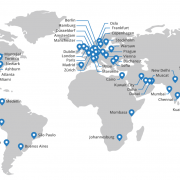
Cloudflare run data centers strategically located around the world. When you sign up for CloudFlare,CloudFlare begin routing your traffic to the nearest data center.

As your traffic passes through the data centers, CloudFlare intelligently determine what parts of your website are static versus dynamic. The static portions are cached on their servers for a short period of time, typically less than 2 hours before CloudFlare check to see if they’ve been updated. By automatically moving the static parts of your site closer to your visitors, the overall performance of your site improves significantly.

CloudFlare’s intelligent caching system also means you save bandwidth, which means saving money, and decreases the load on your servers, which means your web application will run faster and more efficiently than ever. On average, CloudFlare customers see a 60% decrease in bandwidth usage, and a 65% in total requests to their servers. The overall effect is that CloudFlare will typically cut the load time for pages on your site by 50% which means higher engagement and happier visitors.

Broad web security

Over the course of 2011, CloudFlare identified a 700% increase in the number of distributed denial of service attacks (DDoS),CloudFlare track on the Internet (see the chart below). As attacks like these increase, CloudFlare is stepping up to protect sites.

CloudFlare’s security protections offer a broad range of protections against attacks such as DDoS, hacking or spam submitted to a blog or comment form. What is powerful about CloudFlare approach is that the system gets smarter the more sites that are part of the CloudFlare community. CloudFlare analyze the traffic patterns of hundreds of millions of visitors in real time and adapt the security systems to ensure good traffic gets through and bad traffic is stopped.

In time, our goal is nothing short of making attacks against websites a relic of history. And, given our scale and the billions of different attacks CloudFlare see and adapt to every year, CloudFlare well on our way to achieving that for sites on the CloudFlare network.

Signing up

Any website can deploy CloudFlare, regardless of your underlying platform. By integrating closely with DigitalBerg, CloudFlare make the process of setting up CloudFlare “1 click easy” through your existing DigitalBerg dashboard. Just look for the CloudFlare icon, choose the domain you want to enable, and click the orange cloud. That’s it!

We’ve kept the price as low as possible and plans offered through DigitalBerg are free. Moreover, CloudFlare never charge you for bandwidth or storage, therefore saving you tons via reduced bandwidth costs.

For site owners who would like to take advantage of CloudFlare’s advanced offerings, CloudFlare also offer a ‘Pro’ tier of service for $20/month. The ‘Pro’ tier includes all of the ‘Free’ tier’s offerings, as well as extra features like SSL, full web application firewall and faster analytics.

We’re proud that every day more than a thousand new sites, including some of the largest on the web, join the CloudFlare community. If you’re looking for a faster, safer website, you’ve got a good start with DigitalBerg, but the next step is to join the CloudFlare community.

Download The Best WYSIWYG HTML Editors

There are several to choose from but finding the best and right one can be a formidable task! I hope this list makes it an easier task for you. The following are what we feel are currently the best downloadable website HTML web editors on the Internet. They are all WYSIWYG (What You See Is What You Get) and have a group of features fit for either the budding web designer or the advanced web developer. Note here, that all the software, does let you modify HTML but a vey few such as Serif WebPlus, for example, stores pages in proprietary format and then exports them as HTML. Try them out and go with the program you feel is best suitable for your needs.

Free HTML editors:

  1. openElement: http://www.openelement.com

openelement

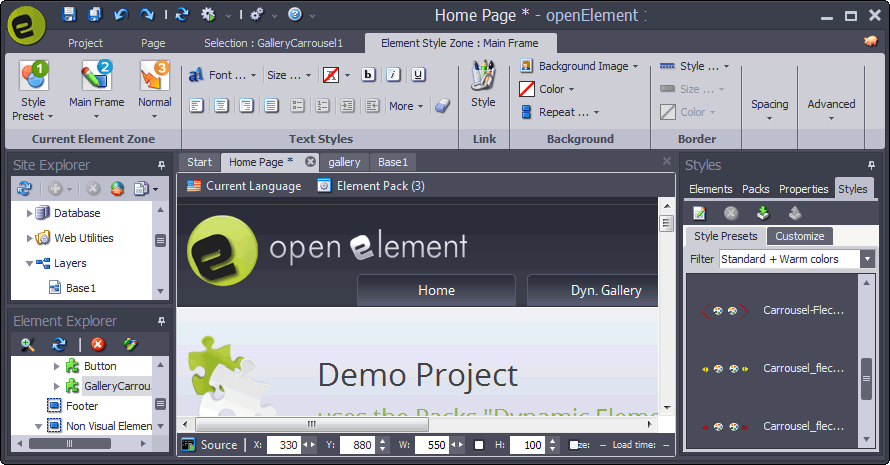
openElement is a powerful and instinctive web authoring program for the creative professionals. Whatever your web project may be, openElement provides you the best with all the tools you need to build a solid and standards-compliant website. This software supports all the latest technology, like HTML5, CSS3, jQuery, responsive design, etc. Work from a professionally designed arrangement or motif or from scratch. openElement was firstly developed by web professionals for web professionals as a visual tool to maximally increase the productivity by streamlining tasks and amending workflow.

Read more

DigitalBerg is Offering Free Web Hosting as New Year Gift

Totally free SSD Hosting with Free CPanel. No monthly Charge
Unlimited hosting Features.

Complete SSD Solution – Your Files, OS & Database. 

Profit or nonprofit business, students, registered charities, can take advantage of free web  hosting on this big hosting package. All that we ask in return is that you place a small banner with Link or Link us on your site footer to show our support.

We are offering a SSD shared free web hosting plan unlike any other – Powerful and features-rich, with unlimited bandwidth. It is ideal for an entry-level website or blog website.

DigitalBerg has helped countless entrepreneurs, developers, designers, and content creators put their visions online in new, exciting ways. You can be next! Bring your dreams to fruition utilising our hosting services, and our devoted expert team will help you!

DigitalBerg Plans For You


1GB SSD FREE STORAGE

If you upload content directly related to your website, reach for the stars! Just abide by our Unlimited Policy.


UNLIMITED TRAFFIC

You can get any amount of traffic to your website; the sky’s the limit, so long as you abide by our simple unlimited policy.


FREE FIVE DATABASE

Through your user-friendly Cpanel, you have access to tech support and can create email addresses as well as unlimited MySQL databases.


FREE FIVE DOMAIN

Host and manage multiple domains and websites within a single account, without extra charge.


FREE FIVE WORDPRESS

We install WordPress with a click of a button on your hosting account. Get your WP blog or site online fast. 


FREE FIVE EMAILS

Create as many email addresses as you want and manage them all in one account (POP, IMAP, SMTP), with auto-responders included.


What People Share about us on Social Media?

Read more

Create 19 Types of Websites With WordPress & DigitalBerg

At the point when individuals are choosing why they ought to utilize WordPress, we frequently get got some information about “can WordPress do? The answer is for the most part Yes. In this article, we will demonstrate to you 19 distinct sorts of sites you can make with WordPress without realizing any programming abilities.

Beginning With WordPress

You will require WordPress hosting by digitalberg and a domain name to begin with your WordPress site. Head over to our novice’s aide for complete orderly directions on the best way to introduce WordPress.

In the event that you simply need to play around with WordPress, then you can introduce it on you’re PC. Investigate our instructional exercises on the most proficient method to introduce WordPress on Windows and Mac PCs.

Read more

What’s New in WordPress 4.3

WordPress 4.3 was released just a few minutes ago. This is the second major WordPress release this year. It has some great new features and fixes many issues. In this article, we will show you what’s new in WordPress 4.3 and which features you should try after updating your sites.

This is a major release and unless you are on a managed WordPress hosting, you will have to manually initiate the update.

Important: Don’t forget to create a complete WordPress backup before starting the update.

Read more