
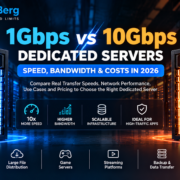
1Gbps vs 10Gbps Dedicated Servers: The Ultimate 2026 Speed & Cost Guide
Choosing between a 1Gbps and 10Gbps dedicated server affects network capacity, transfer times and hosting costs. A 10Gbps port has ten times the nominal capacity of 1Gbps, but it does not automatically make a website or application ten times faster. This 2026 10Gbps dedicated server guide explains real transfer speeds, bottlenecks, bandwidth commitments, costs and when an upgrade makes sense.
What Is a 1Gbps Dedicated Server?
A 1Gbps dedicated server is a physical server with a network interface supporting a nominal one gigabit per second. Eight bits equal one byte, so its theoretical maximum is 125MB/s. This can suit websites, APIs, ecommerce, backups and business applications. The actual public internet commitment may differ from the interface speed. Explore DigitalBerg dedicated servers.
What Is a 10Gbps Dedicated Server?
A 10Gbps dedicated server has a network interface capable of ten gigabits per second, equivalent to a theoretical 1,250MB/s. A 10Gbps dedicated server can support high-volume downloads, data movement and many simultaneous users, provided the CPU, storage, provider network and destination can sustain that rate. A 10Gbps physical port does not by itself guarantee 10Gbps public internet throughput.
1Gbps vs 10Gbps: Technical Comparison
| Metric | 1Gbps | 10Gbps |
|---|---|---|
| Nominal link rate | 1,000Mbps | 10,000Mbps |
| Theoretical transfer per second | 125MB | 1,250MB |
| Per minute | 7.5GB | 75GB |
| Per hour | 450GB | 4.5TB |
| Per day | 10.8TB | 108TB |
| Over 30 days | 324TB | 3.24PB |
| Common workloads | Websites, APIs, backups | Large downloads, high-throughput services |
All values are theoretical decimal calculations for uninterrupted full-rate transfer in one direction. Real performance is lower because of protocol overhead, congestion, hardware and contract limits.
Real-World File Transfer Speeds
To convert bits to bytes, divide by eight. At 1Gbps, 1,000,000,000 bits per second ÷ 8 = 125,000,000 bytes per second. At 10Gbps, the corresponding theoretical maximum is 1.25GB/s.
| File size | 1Gbps theoretical time | 10Gbps theoretical time |
|---|---|---|
| 1GB | 8 seconds | 0.8 seconds |
| 10GB | 80 seconds | 8 seconds |
| 100GB | 13 min 20 sec | 1 min 20 sec |
| 1TB | 2 hr 13 min 20 sec | 13 min 20 sec |
These are idealised times, not service guarantees. A 10Gbps dedicated server cannot force a destination with a 100Mbps connection to download at 10Gbps.
Does 10Gbps Make Websites Ten Times Faster?
Usually not. Page performance also depends on database queries, application processing, caching, visitor connections and content size. If a website uses only 100Mbps at peak, upgrading its server port from 1Gbps to 10Gbps is unlikely to improve page load times significantly. Upgrade when monitoring demonstrates that network capacity is a genuine bottleneck.
When 1Gbps Dedicated Hosting Is Enough
Business websites and ecommerce
A well-configured 1Gbps connection can handle substantial website traffic. Application response times, caching and database performance often matter more than maximum port speed.
APIs, SaaS and development
Many business applications exchange small responses rather than transferring continuous multi-gigabit streams. Choose the connection according to peak traffic measurements.
Game servers and backups
Game hosting depends heavily on latency, packet loss and routing. Scheduled backups may work well over 1Gbps if the backup window is sufficiently long.
When a 10Gbps Dedicated Server Is Worth It
Large-scale file distribution
High-concurrency software downloads and media delivery can exhaust a 1Gbps link. A 10Gbps dedicated server may improve aggregate throughput when the hosting plan guarantees sufficient upstream capacity.
Streaming workloads
One thousand simultaneous 5Mbps video streams require approximately 5Gbps of payload bandwidth before overhead. Direct origin delivery at this scale can exceed 1Gbps, although a CDN can offload traffic.
Data migration and enterprise infrastructure
Large datasets, storage replication and high-throughput services can benefit from 10Gbps when both endpoints and the network path support it. Review infrastructure dedicated servers and enterprise dedicated servers for related hardware options.
Port Speed vs Guaranteed, Shared and Burstable Bandwidth
Port speed is the nominal capacity of the physical interface. Committed or guaranteed bandwidth is the contracted throughput commitment. Shared bandwidth uses common upstream capacity across multiple customers. Burstable bandwidth may permit temporary speeds above a committed rate. Ask the provider which definition applies to the advertised 10Gbps service, whether public internet traffic is covered and whether sustained use is allowed.
10Gbps Dedicated Server Costs in 2026
A 10Gbps dedicated server often costs more than a comparable 1Gbps server, particularly when higher committed internet capacity is included. However, prices depend on CPU, RAM, storage, network commitment, location, DDoS mitigation, support and traffic billing. A low-priced 10Gbps port with limited guaranteed bandwidth may be less suitable than a contract with a stronger committed rate.
| Cost factor | Check before ordering |
|---|---|
| Hardware | CPU generation, RAM and NVMe/SSD |
| Connectivity | Port speed and committed internet rate |
| Billing | Metered, unmetered or percentile |
| Security | DDoS mitigation scope |
| Operations | Support, backups, management |
Compare current configurations via DigitalBerg’s dedicated server catalogue. Verify availability and exact bandwidth terms for the chosen location and hardware.
What Does 10Gbps Unmetered Mean?
A 10Gbps unmetered dedicated server generally combines a nominal 10Gbps port with billing that does not charge per gigabyte transferred. It does not necessarily guarantee unlimited sustained throughput. For fair-use policies, transfer calculations and bandwidth billing, see our unmetered dedicated server guide.
How to Test Dedicated Server Network Speed
Check the network interface
On Linux, identify the interface and check its negotiated link speed:
ip -br link
sudo ethtool eth0
Replace eth0 with your actual interface. Link speed alone does not verify guaranteed internet bandwidth.
Run an authorised iPerf3 test
On Ubuntu or Debian, install iPerf3 and use a test endpoint you own or are authorised to benchmark:
sudo apt update
sudo apt install iperf3
# On the test endpoint:
iperf3 -s
# On the dedicated server:
iperf3 -c TEST_SERVER_IP -P 4 -t 30
# Reverse direction:
iperf3 -c TEST_SERVER_IP -P 4 -t 30 -R
The remote endpoint must have sufficient network capacity. See official iPerf3 documentation and comply with provider testing policies.
Monitor real traffic
sudo apt install nload
nload
Track peak and sustained throughput over days or weeks alongside packet loss, CPU, disk performance and application response times.
Common 10Gbps Performance Bottlenecks
Storage: Slow disks or small random I/O can limit delivery of data even when the port is fast. CPU: Encryption, compression and packet processing consume resources. TCP: Latency, packet loss and congestion control affect throughput. Virtualisation: Virtual switches and guest configuration may add limits. Remote network: End-to-end transfer is constrained by the destination and intervening networks.
How to Calculate the Bandwidth You Need
Example: 200 large downloads
If 200 users each download a 500MB file in ten minutes, total payload is 100GB. Average required throughput is 100GB × 8 ÷ 600 seconds ≈ 1.33Gbps. A 1Gbps port cannot sustain that average delivery rate; a higher-capacity service or CDN may be appropriate. Peaks can exceed the average.
Example: 100GB of daily traffic
If an application transfers 100GB across 24 hours, average payload throughput is approximately 9.26Mbps. That does not justify 10Gbps by itself. Measure traffic peaks before choosing a port.
Is 10Gbps Worth It for Small Businesses?
For many small businesses, 1Gbps is sufficient. First check caching, compression, database queries and CDN options. A 10Gbps dedicated server upgrade makes more sense when measured demand repeatedly exceeds practical 1Gbps capacity and the rest of the infrastructure can benefit.
Choosing a Dedicated Server at DigitalBerg
DigitalBerg provides physical dedicated hosting with varying hardware and connectivity. Compare dedicated server plans, USA instant dedicated servers and data-centre information. Confirm whether 10Gbps is available for the exact configuration, the committed bandwidth, traffic policy and monthly price.
Frequently Asked Questions
Is a 10Gbps dedicated server ten times faster?
Its nominal port capacity is ten times higher, but real application performance depends on network conditions, server resources and workload.
How much data can 1Gbps transfer in a month?
Approximately 324TB over 30 days at theoretical continuous full-rate transfer in one direction; actual volumes will be lower.
How much data can 10Gbps transfer in a month?
Approximately 3.24PB over 30 days theoretically in one direction, not a guaranteed transfer allowance.
Does 10Gbps improve gaming latency?
Not automatically. Routing, distance, congestion and packet loss matter more when 1Gbps is not saturated.
What is dedicated vs shared 10Gbps bandwidth?
A dedicated commitment reserves a contracted rate; shared bandwidth relies on common upstream capacity and may vary with contention.
Do I need NVMe storage for 10Gbps?
It depends on workload and I/O patterns. Fast storage can help with disk-intensive transfers, but is not universally required.
Is 10Gbps unmetered truly unlimited?
No. Unmetered typically concerns transfer billing; network speed and service terms still apply.
Can I upgrade from 1Gbps to 10Gbps later?
Possibly, subject to the provider’s network equipment, hardware compatibility and available capacity. Confirm before purchase.
Final Thoughts
The right choice between 1Gbps vs 10Gbps dedicated servers depends on measured peak demand, guaranteed internet capacity, hardware and total cost. For many business applications, 1Gbps offers ample capacity; high-throughput services may justify 10Gbps. Explore DigitalBerg dedicated servers and verify the network commitment for your chosen configuration.



