
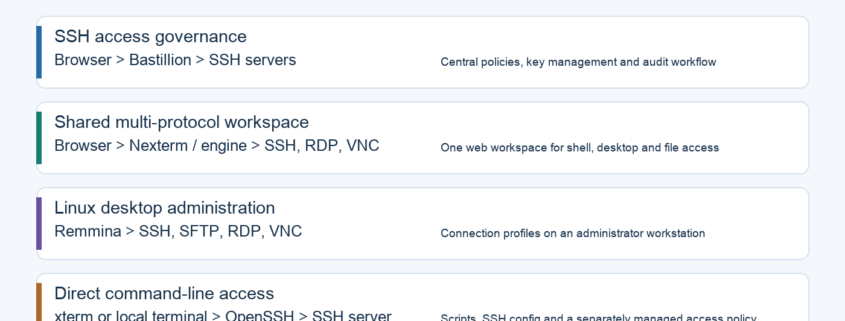
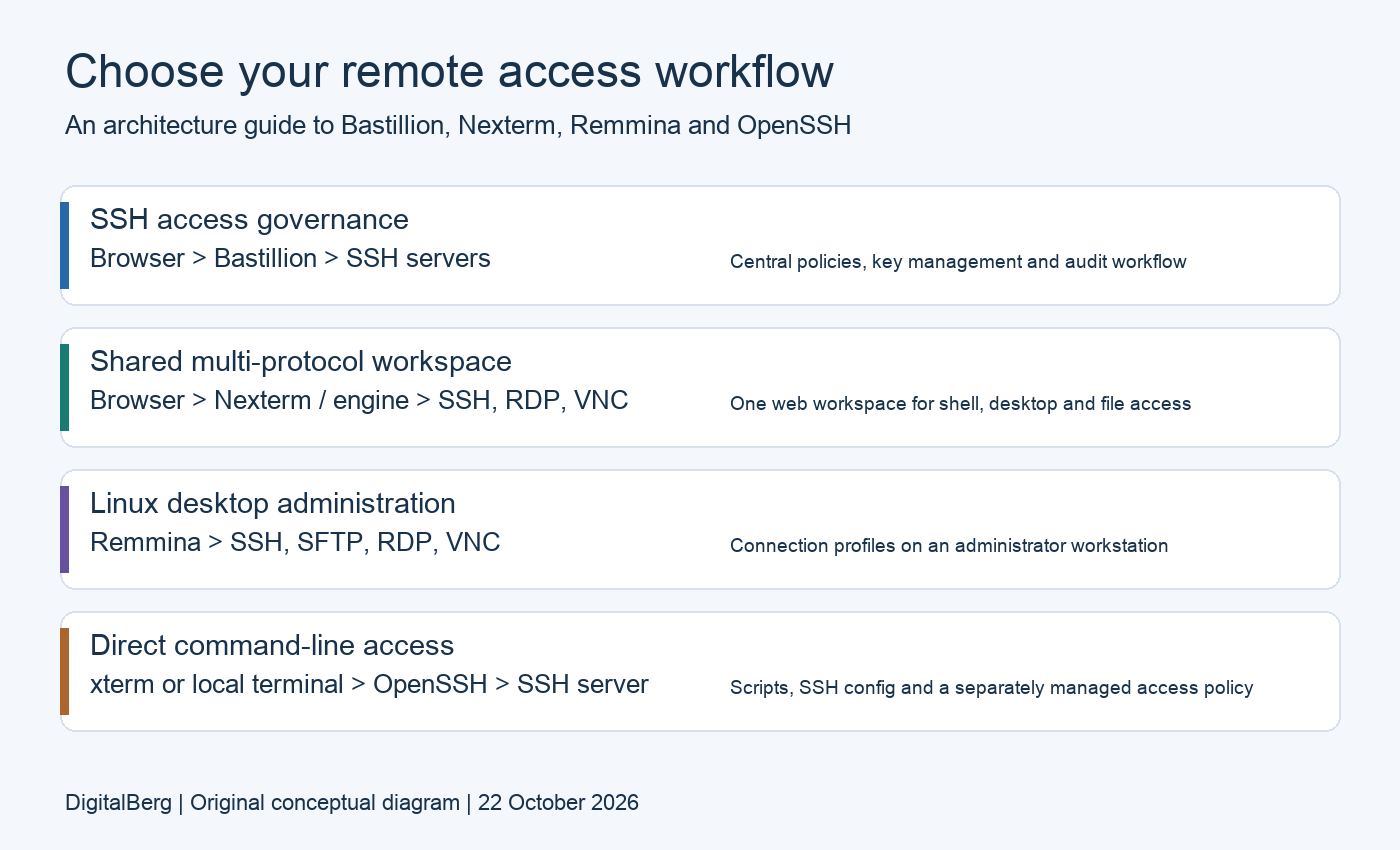
Quick answer: Choose Bastillion when your main requirement is centrally governed SSH access. Choose Nexterm for a shared web workspace spanning SSH, remote desktops and files. Choose Remmina for a Linux desktop client. Choose xterm or another terminal running OpenSSH for direct command-line work. The best option depends on where you need access controls, credentials and audit evidence to live.
Updated 22 October 2026. This Bastillion vs Nexterm comparison also covers xterm, Remmina and local terminals. It is a documentation-based assessment, not a hands-on benchmark or security certification. Release-specific details below distinguish published releases from evolving project documentation. The original 2025 URL is retained for continuity.
On this page
- Comparison at a glance
- Security, MFA and audit evidence
- Use cases and selection guide
- Installation and configuration
- Hardening, testing and troubleshooting
- Frequently asked questions
- Official sources and update notes
Bastillion vs Nexterm vs xterm vs Remmina: comparison at a glance
These tools operate at different layers. A terminal emulator displays a shell; an SSH client creates an encrypted connection; a web gateway adds an intermediary service and its own login and policy. Comparing them as interchangeable SSH clients hides the most important deployment choices.
| Tool | What it is | Best starting point | Operational trade-off |
|---|---|---|---|
| Bastillion | Browser SSH console with central key management | SSH governance and controlled team access | A privileged service to secure, patch and recover |
| Nexterm | Self-hosted web server-management workspace | Mixed SSH, RDP, VNC and SFTP workflows | Server/engine deployment, stored credentials and upgrades |
| Remmina | Linux desktop remote-access client | An admin workstation managing mixed systems | Workstation profiles and credentials need protection |
| xterm + OpenSSH | X Window terminal emulator running a separate SSH client | Minimal local shell access | Team policies and recordings require other systems |
| Other terminal + OpenSSH | Your local terminal running ssh, sftp and related tools | Automation and existing SSH configuration | Access governance stays in SSH infrastructure and host policy |
The Bastillion project documents profiles, key distribution, MFA and session auditing. The Nexterm project documents SSH/RDP/VNC, SFTP, Docker and Proxmox integration, organisations and OIDC. Remmina uses protocol plugins. xterm is a terminal emulator for the X Window System; it is not an SSH implementation.
Security comparison: separate application login from server authentication
A web-console login and the target server’s SSH login are separate trust boundaries. MFA on the console does not automatically enforce MFA on every direct SSH route. Conversely, a local terminal can connect to an SSH server that requires multiple authentication methods. HTTPS protects the browser-to-console connection; SSH protects a different connection to the server.
| Security question | Bastillion / Nexterm | Remmina / local OpenSSH |
|---|---|---|
| Who can open a connection? | Application permissions plus target account permissions; test both | Desktop access plus target account and SSH policy |
| Where is MFA enforced? | Console or identity provider; verify every login route | Target service or identity infrastructure; client compatibility matters |
| Where do secrets live? | Central service storage, configuration and backups | Workstation key files, agent or credential store |
| What gets recorded? | Check application audit settings, supported session types and retention | Arrange target-side or gateway recording separately |
| What happens after offboarding? | Revoke app access, live sessions, tokens and target credentials as applicable | Revoke server access and credentials; remove saved profiles where necessary |
Nexterm is not limited to single-user access: its documentation describes organisations and MFA, while the 1.2.2-BETA release notes include permissions and collaboration changes. Its recording API describes downloadable Guacamole or Asciicast recordings. Validate which protocols are recorded in your installed release, whether recording is enabled, who can download it and whether retention meets your policy.
Current-version cautions that change the comparison
At this review, GitHub marked Bastillion 6.0.1 and Nexterm 1.2.2-BETA as their latest releases. Bastillion 6.0.1 fixes a high-severity SAML/LDAP account-matching issue; the release recommends prompt upgrades for affected authentication deployments. It also documents host-key verification and optional SSH certificates. Check the release notes before carrying older configuration forward.
Bastillion’s current README describes a free allowance of up to eight registered systems and paid licences above that limit; do not assume older licensing descriptions apply to the current version. It also specifies Java 21 for the current distribution. Nexterm’s installation guide still labels the software beta. Evaluate upgrade, backup and recovery behaviour before adopting either service for critical access.
No tool name establishes compliance. A useful audit trail must identify the person, target, time and action; preserve the evidence for the required period; and resist unauthorised alteration. A recording can also contain passwords, personal information or production data. Decide who may view and export it, and how deletion is controlled.
Which tool should you choose for your use case?
| Your situation | Shortlist | What to prove in a pilot |
|---|---|---|
| A team needs controlled access to Linux servers | Bastillion; also evaluate Nexterm if broader protocols matter | A restricted user cannot reach production; offboarding removes all intended access |
| A homelab or small team manages Linux and Windows | Nexterm | SSH, RDP and file transfer work through the intended engine and network |
| A Linux administrator wants saved desktop connections | Remmina | Required plugins, display behaviour and authentication work on the chosen package |
| A developer uses scripts, tunnels and SSH config | Local OpenSSH in a preferred terminal | Existing config, keys and jump-host route behave as expected |
| An X11 user wants a conventional terminal window | xterm + OpenSSH | Terminal behaviour and fonts suit the workload; SSH policy remains explicit |
| An organisation needs regulated privileged access | Requirements-led evaluation beyond this table | Independent identity, approval, retention, recovery and evidence requirements are met |
For example, a two-person team managing five Linux servers may gain more from a clear key-revocation process than from another dashboard. A helpdesk supporting Windows desktops may prioritise RDP and session handover. Write down the problem first, then select the smallest toolset that solves it.
xterm, xterm.js and native terminals are different things
The xterm desktop program is distinct from the xterm.js browser-terminal library and from a TERM value such as xterm-256color. A browser console can use terminal-emulation components without becoming the xterm desktop application. Likewise, a terminal window does not itself provide SSH authentication or SFTP: the program running inside it does.
There is no defensible universal “fastest” winner without measurements. Compare connection setup, typing latency, large-output responsiveness, desktop frame rate and file-transfer throughput on the same network. A web service adds components to operate; a local client shifts more responsibility to the workstation. Neither observation is a benchmark result.
Installation and configuration: practical starting points
If SSH is new to you, begin with DigitalBerg’s VPS SSH connection guide. Prepare a non-production target and a recovery route before testing access-management software. Record the chosen version, deployment files and restore procedure.
1. Local OpenSSH and xterm on Ubuntu or Debian
sudo apt update
sudo apt install openssh-client xterm
ssh -V
ssh [email protected]
sftp [email protected]
Run these on your Linux workstation. xterm needs a graphical X environment; a headless VPS does not need it just to accept SSH. Replace the example username and hostname with your real values. Verify the server fingerprint through a trusted channel before accepting a first connection. Package versions and availability depend on your distribution.
For repeat connections, create a host entry in ~/.ssh/config. The OpenSSH client manual defines these options; inspect the effective configuration with ssh -G db-prod.
Host db-prod
    HostName server.example.com
    User youruser
    IdentityFile ~/.ssh/id_ed25519
    IdentitiesOnly yes
    ForwardAgent no
    ServerAliveInterval 30
    ServerAliveCountMax 3
Use ssh db-prod for a shell or sftp db-prod for files. The identity file must already exist and its public key must be authorised on the target. Keepalives can detect a broken connection; they do not repair routing problems or override every server-side idle timeout. Add a jump host only when your access design requires one.
2. Remmina on a Linux workstation
sudo apt update
sudo apt install remmina remmina-plugin-rdp remmina-plugin-vnc
remmina
The official Remmina installation guide also documents Flatpak and other distributions. Open a connection profile, choose the needed protocol and configure the target and authentication. If a protocol is absent, check the installed plugins and package build. Flatpak uses different profile paths and may need explicit SSH-agent access. Do not mix installation methods without understanding which profile store you are opening.
3. Nexterm: self-host the service and preserve its encryption key
Follow the current Nexterm installation guide. It offers an all-in-one image and separate server/engine images. The documented persistent data path is /app/data; generate a unique encryption key and keep it securely with your recovery material. Losing the key can prevent recovery of encrypted credentials.
openssl rand -hex 32The following Compose outline adapts the documented bridge deployment for a single-host pilot behind a same-host reverse proxy. Replace both placeholders before running it. Select an available image tag or digest that you have reviewed; the placeholder is intentionally not a runnable version.
services:
  nexterm:
    image: nexterm/aio:REPLACE_WITH_REVIEWED_TAG
    environment:
      ENCRYPTION_KEY: "${NEXTERM_ENCRYPTION_KEY:?Set a unique key securely}"
    ports:
      - "127.0.0.1:6989:6989"
    restart: unless-stopped
    volumes:
      - nexterm-data:/app/data
volumes:
  nexterm-data:
Set NEXTERM_ENCRYPTION_KEY in the deployment environment without committing it to source control. Loopback binding limits this example’s HTTP listener to the host; a proxy in another container needs an appropriate private network route. The installation guide recommends host networking for features such as Wake-on-LAN; this isolated pilot has different networking behaviour. For production, implement trusted HTTPS and the documented reverse-proxy/WebSocket configuration, restrict ingress and protect engine registration credentials.
Configure OIDC authentication where appropriate, test group mappings and enforce the intended MFA policy. Do not assume enabling SSO automatically disables alternate local login routes. Restore a backup into an isolated environment before relying on the service as your primary access path.
4. Bastillion: follow release-specific Java and migration instructions
Download a reviewed release from the official release page and follow its matching README. The current instructions use Java 21 and a standalone JAR. Confirm Java with java -version; start the downloaded file using java -jar bastillion-VERSION.jar, replacing VERSION with the actual filename.
Before registering real hosts, change the default administrator password, configure MFA, restrict the login endpoint and install a trusted TLS certificate. Test the selected host-key policy. Confirm exactly how key management changes a target’s authorised keys using a disposable host first. Back up application configuration, database and key material together; an older installation may require the documented migration process.
Production hardening and a useful acceptance test
A central access service concentrates authority. Treat its host, administrators, backups and recovery keys as part of your privileged-access boundary. A sensible rollout proves both normal access and failure behaviour.
- Restrict network access. Prefer a management network or VPN and explicit ingress/egress rules. Keep direct SSH routes consistent with the intended policy; an unrestricted bypass can undermine gateway auditing.
- Verify host identity. Record fingerprints through a trusted source. Investigate a changed key rather than disabling verification to make a warning disappear.
- Use least privilege. Give each person an identifiable login and only the required systems. Use narrowly scoped target accounts and sudo permissions; avoid routine shared-root access.
- Separate MFA policies. Test console, SSO, local fallback and direct SSH paths. For OpenSSH servers, consult AuthenticationMethods and the authentication backend before changing settings.
- Protect secrets and recordings. Encrypt backups, limit access to exports and document retention. Avoid typing secrets directly into recorded commands where a safer secret-delivery mechanism exists.
- Plan recovery. Keep a controlled emergency route, test data restoration and document who can recover access if the gateway or identity provider fails.
The OpenSSH server manual explains AuthenticationMethods and related settings. Validate configuration with sshd -t before reloading a server, retain an existing working session and confirm a second login. Do not disable password access or change firewall rules until the replacement path has been tested.
| Pilot test | Evidence to collect |
|---|---|
| Allowed and denied access | One authorised connection succeeds; one out-of-scope target is blocked |
| Offboarding | New login fails and existing sessions/tokens behave according to policy |
| Recording and retention | A harmless test command is attributable, replayable where expected and retained/deleted correctly |
| Host-key change | An unexpected key is detected and requires the intended review |
| Backup restoration | Configuration and encrypted credentials recover in isolation |
| Gateway outage | The approved emergency procedure works and is logged |
Troubleshooting common connection failures
| Symptom | Check first | Avoid |
|---|---|---|
| Timeout before authentication | DNS, route, target SSH port, firewall and engine-to-target reachability | Treating a network timeout as a password problem |
| Permission denied | Username, authorised public key, account restrictions and MFA sequence | Repeatedly changing unrelated terminal settings |
| Browser connects but terminal disconnects | Proxy WebSocket upgrade, idle timeouts and backend logs | Exposing an unauthenticated backend as a shortcut |
| SFTP fails while a shell works | Target SFTP subsystem and filesystem permissions | Assuming every restricted SSH account permits file transfer |
| Saved credentials fail after restore | Original encryption key and compatible data/configuration | Regenerating keys over the only recoverable copy |
For a new hosting environment, see setting up an Ubuntu VPS and Docker and Portainer installation. Check commands against your supported OS release and current upstream instructions. These related guides provide context; this comparison does not imply that every DigitalBerg hosting plan includes gateway installation or ongoing administration.
Frequently asked questions
Is Bastillion better than Nexterm?
Bastillion is a strong shortlist candidate for an SSH-focused governance workflow. Nexterm suits a broader shared workspace with remote desktops and files. Test the required permissions, authentication, recording and recovery behaviour before choosing.
Does Nexterm support MFA, teams and session recordings?
Current documentation describes MFA and organisations, and the published 1.2.2-BETA release includes permissions and collaboration changes. The recording API documents recording downloads. Confirm enabled features and protocol coverage in the version you deploy.
Is xterm an SSH client?
No. xterm is a terminal emulator for the X Window System. You can run an SSH client such as OpenSSH inside it. xterm.js and the xterm-256color terminal setting are separate concepts.
Can Remmina connect to Windows and Linux systems?
Remmina is a Linux desktop client with remote-access plugins, including RDP, VNC and SSH; its documented SSH workflow also includes SFTP. The available protocols depend on your package and installed plugins.
Can a local terminal use SSH with MFA?
Yes, when the SSH client, server and authentication backend support the required exchange. MFA is not determined solely by the terminal emulator. Test the actual authentication sequence with your chosen client.
Is Bastillion still free for unlimited servers?
Do not assume that for the current version. At the review date, the current Bastillion README describes up to eight registered systems without a licence and paid licences above that cap. Check the licence terms for the exact release you use.
Which option is best for SFTP?
Nexterm and Remmina offer graphical file workflows; OpenSSH provides the sftp command inside a local terminal. Test permissions, large transfers and authentication on your target. This guide does not rate Bastillion as an equivalent SFTP file manager.
Will an access gateway make my servers compliant?
A gateway can support access controls and evidence collection, but it cannot establish compliance by itself. Evaluate your own identity, retention, incident response, approval and recovery requirements with the responsible reviewers.
Official sources and update notes
Sources checked on 22 October 2026. Project documentation may describe development work beyond a released package. Installation examples here are starting points, not evidence that every combination has been tested. Re-check release notes, security advisories, licensing and supported operating systems before deployment.
- Bastillion README: capabilities, licensing and deployment
- Bastillion 6.0.1: security fix and upgrade notes
- Nexterm project overview
- Nexterm 1.2.2-BETA release notes
- Nexterm installation documentation
- Nexterm recording API
- Remmina project and protocol plugins
- Remmina installation options
- xterm maintainer documentation
- OpenSSH client configuration manual
- OpenSSH server configuration manual
Editorial update: This revision replaces the earlier blanket feature scores with deployment-aware comparisons, adds current release and licensing context, separates terminal emulation from SSH authentication, and removes unsupported claims about speed, universal security winners and automatic compliance.




